
Free Code39 Barcode Font Download
Free download of the Code39 barcode font (TrueType format) for Windows 10 and 11.
This font supports alphanumeric characters (A–Z, 0–9) and selected symbols, allowing you to display barcodes in applications such as Microsoft Excel®.
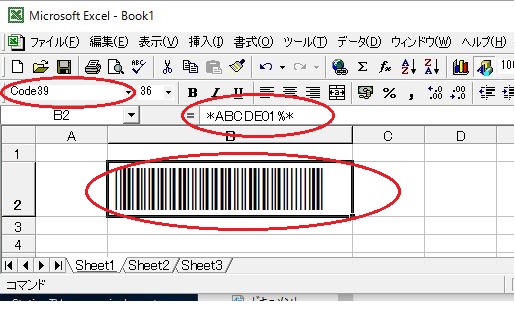
Detailed installation instructions are provided, including how to handle start/stop bits (*) and troubleshooting tips if the barcode does not display correctly.
No registration required — simply download and install.
code39.zip (2KB) Download
How to install: Right-click the downloaded code39.zip file, select Properties, and click "Unblock." Then unzip the file.
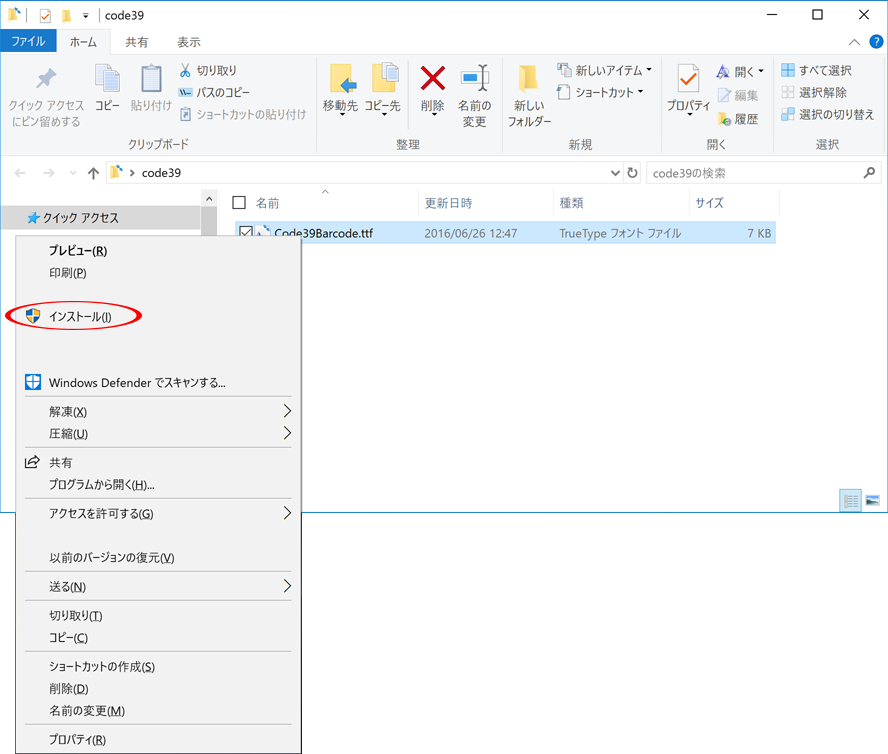
Right-click the Code39Barcode.ttf file and choose "Install."
License:

This font is provided free of charge and may be used in both personal and commercial environments.
You are allowed to embed or distribute the unmodified font within your software or documents.
No attribution is required. Modification of the font file is not allowed.
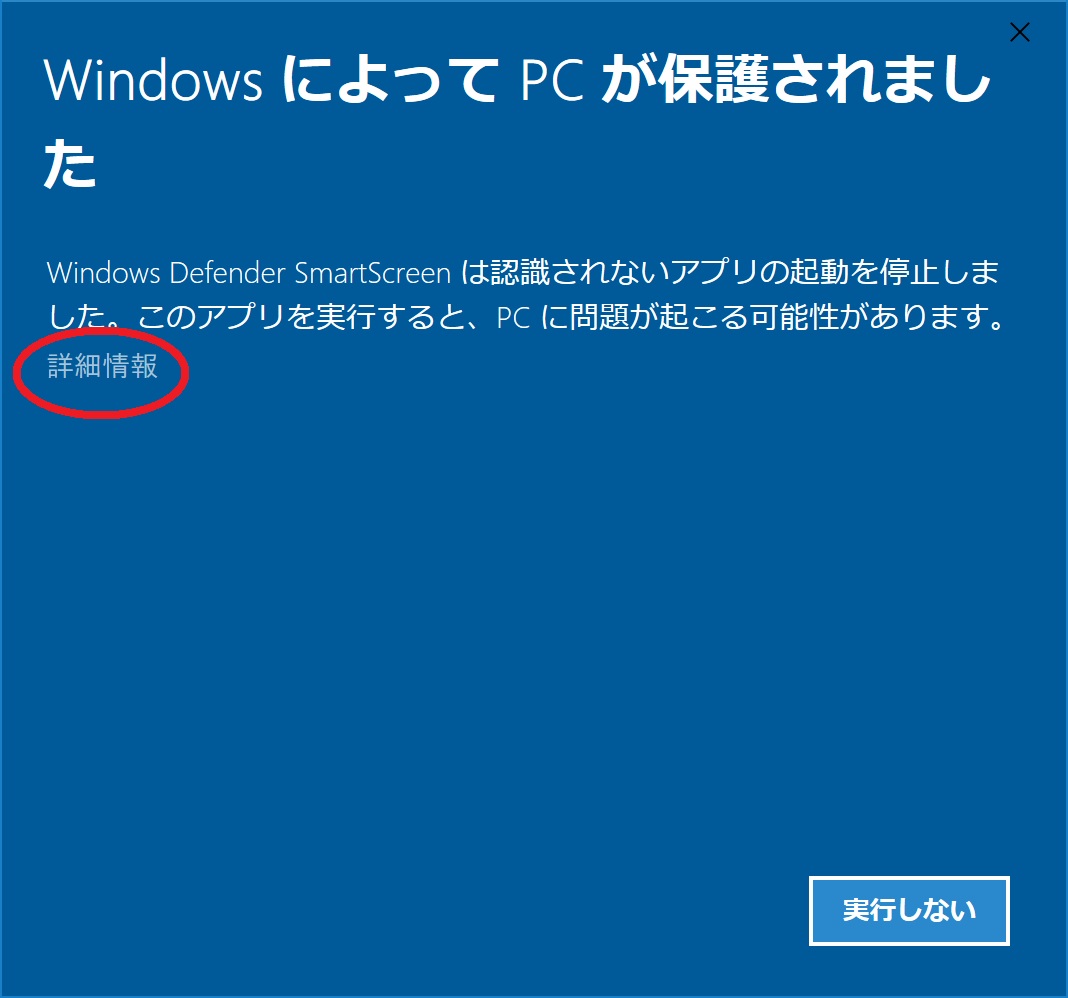
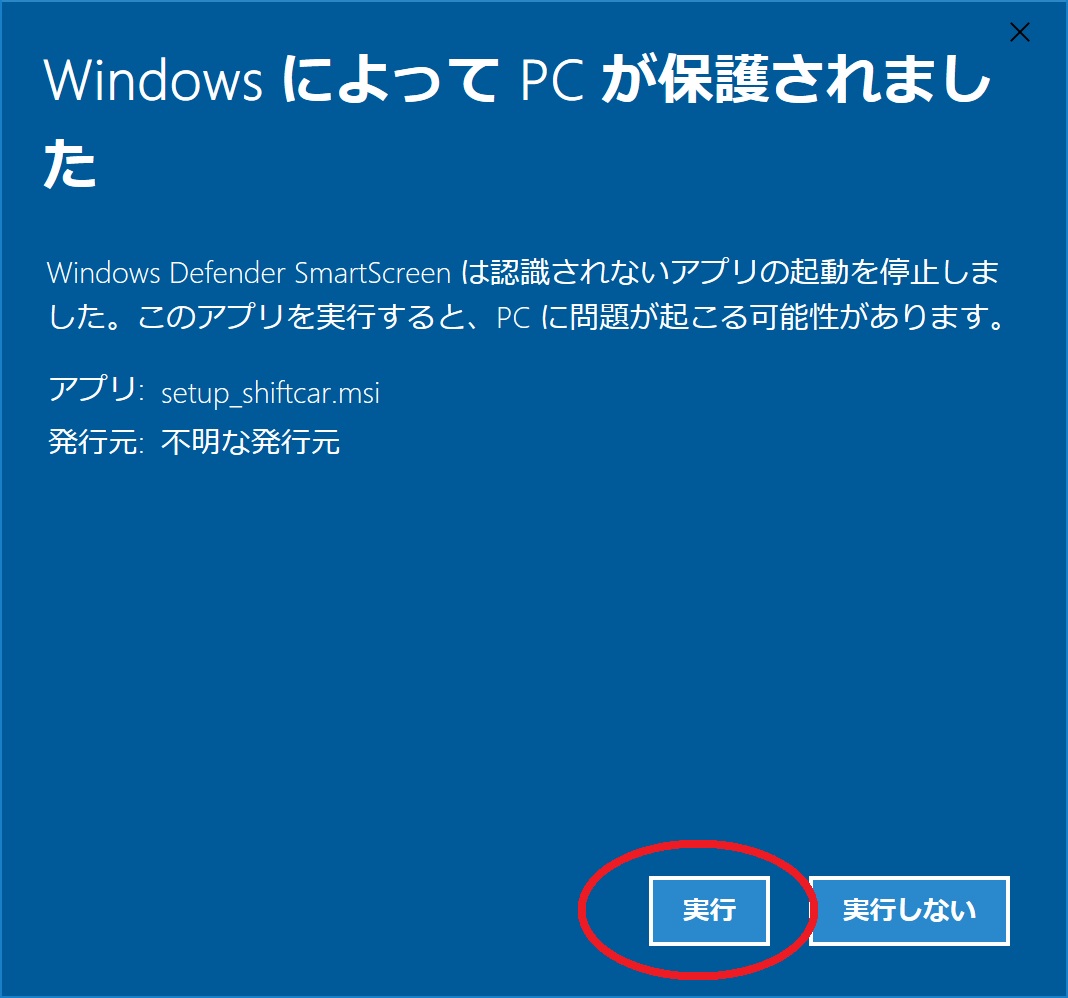
If the following screen appears on Windows 11
Code39 barcodes are available in half-width characters only and come in the following 43 types
- Half-width numbers
- 0 1 2 3 4 5 6 7 8 9
- Half-width uppercase letters
- A to Z
- Half-width symbols
-
-(minus)
.(dot)
$(Dollar)
/(Slash)
+(plus) %(percent) space *(asterisk)
Example of display in Microsoft Excel(R)
Try Code39 barcode fonts
The barcode for each character is as follows:
Reference links on this website
-
To generate a PNG image of a Code39 barcode in your browser:
Create a PNG image of a Code39 barcode with Javascript -
When reading a Code39 barcode in a browser
Scan CODE39 barcodes from camera footage using Javascript -
How to read Code39 barcodes using a USB camera on a PC using free software
Mam Webcam Barcode Reader -
When using free software to read QR codes or Code39 barcodes using a computer's USB camera
Mam WebCam QR Code Reader
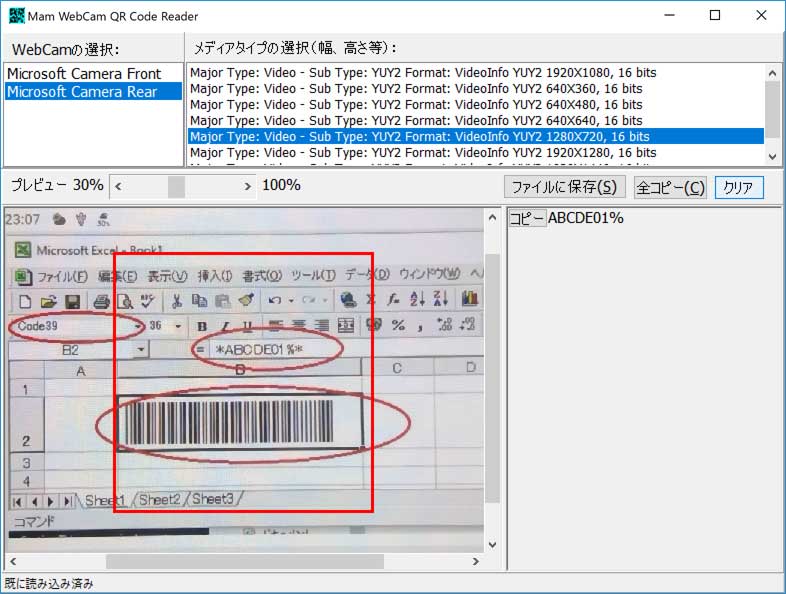
-
Download NW-7 (CODABAR) barcode font
NW-7(CODABAR)True Type Barcode Font
When using Windows 11® or Windows 10®
All executable files downloaded from the Internet (including executable files generated by unzipping compressed files) will display the following warning when executed.
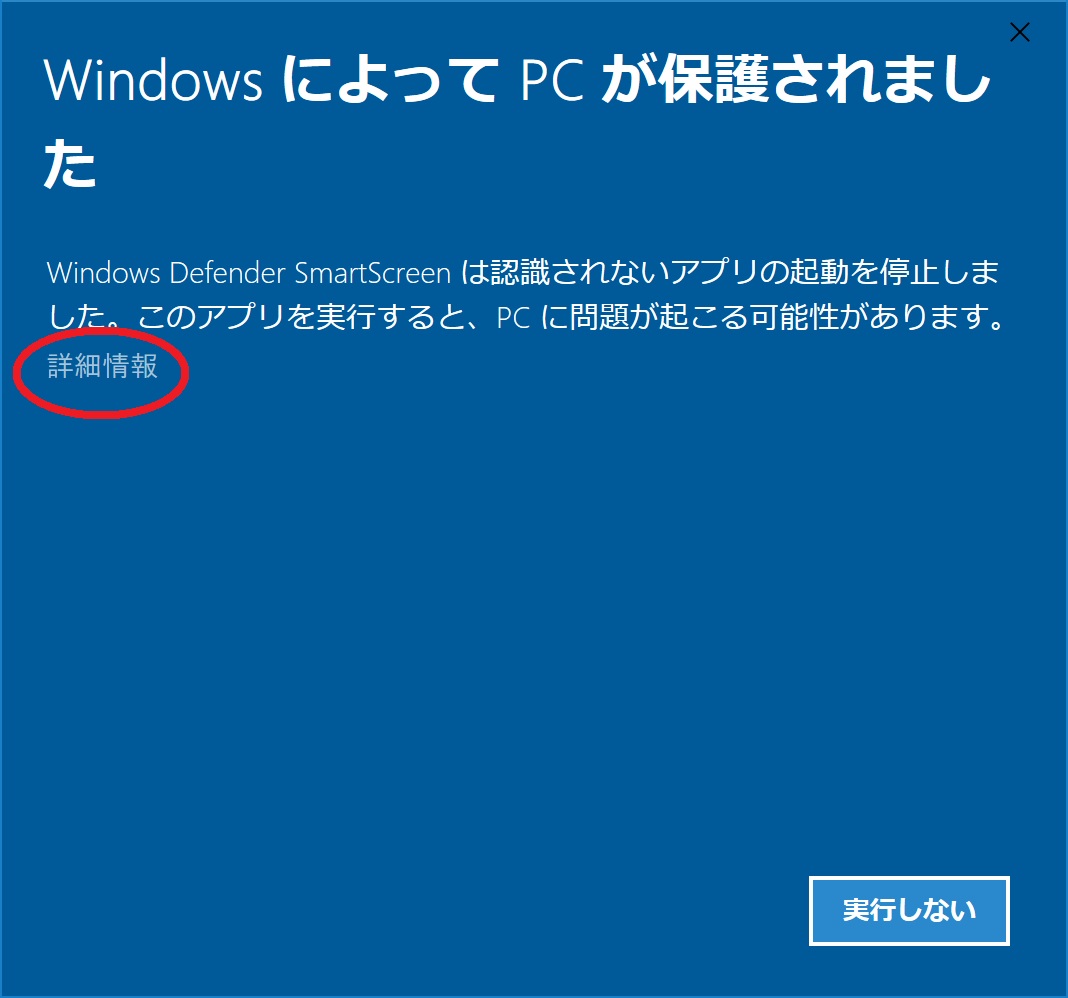
"Windows protected your PC."
Windows SmartScreen has stopped an unrecognized app from starting. Running this app might cause problems for your PC.
To prevent this warning,
Right-click the downloaded ZIP file, left-click Properties, click "Unblock" in the bottom right of the "General" tab,
and click "OK."
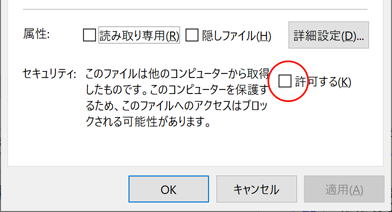
After that, double-click the executable file after extracting it and the warning will no longer appear.
(Do not use the above settings for suspicious files. Do so at your own risk.)