
Three.js Bump vs Displacement Maps | Differences and Usage Explained with Examples
Have you ever found it difficult to understand the difference between a bump map and a displacement map in Three.js?
In this article, we clearly explain the characteristics and usage of both, with actual code and demos.
Bump Map (bumpMap) and Displacement Map (displacementMap) (Three.js[r145])
- Bump Map
- Mapped to perceived depth related to lighting, affecting only the lighting. (The object’s shape does not change)
- Displacement Map
- Moves the mesh’s vertex positions. The displaced vertices cast and receive shadows. (The object’s shape changes)
Left mouse drag rotates, right mouse drag moves the camera, and the wheel zooms in/out.
Swipe to rotate, drag with two fingers on the screen to move the camera, and pinch in/out to zoom.
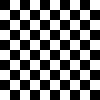
The following checker image is applied as (left) bump map and (right) displacement map.
Source Code
// Load image for bump map and displacement map
let Texture=new THREE.TextureLoader().load('./three_r145/img/flag.png');
Texture.wrapS=THREE.RepeatWrapping;
Texture.wrapT=THREE.RepeatWrapping;
// Specify the number of times the texture repeats
Texture.repeat.set(1,1);

// Create geometry for bump/displacement maps (width, height, width segments, height segments)
let Geometry=new THREE.PlaneGeometry(10,10,50,50);

// Bump map surface material
let BumpMaterial=new THREE.MeshLambertMaterial({
  color:0x66ee66,
  side:THREE.FrontSide, // render front side
  transparent:false, opacity:1.0,
  wireframe:false, wireframeLinewidth:0,
  bumpMap:Texture,
  bumpScale:1
});
// Create mesh for bump map
let BumpMesh=new THREE.Mesh(Geometry,BumpMaterial);
BumpMesh.position.set(-6,0,0);
BumpMesh.rotation.set(-Math.PI/8*3,0,0);
BumpMesh.castShadow=true;
BumpMesh.receiveShadow=true;
scene.add(BumpMesh);

// Displacement map surface material
let DisplacementMaterial=new THREE.MeshLambertMaterial({
  color:0x6699ee,
  side:THREE.FrontSide, // render front side
  transparent:false, opacity:1.0,
  wireframe:false, wireframeLinewidth:0,
  displacementMap:Texture,
  displacementScale:1
});
// Create mesh for displacement map
let DisplacementMesh=new THREE.Mesh(Geometry,DisplacementMaterial);
DisplacementMesh.position.set(6,0,0);
DisplacementMesh.rotation.set(-Math.PI/8*3,0,0);
DisplacementMesh.castShadow=true;
DisplacementMesh.receiveShadow=true;
scene.add(DisplacementMesh);