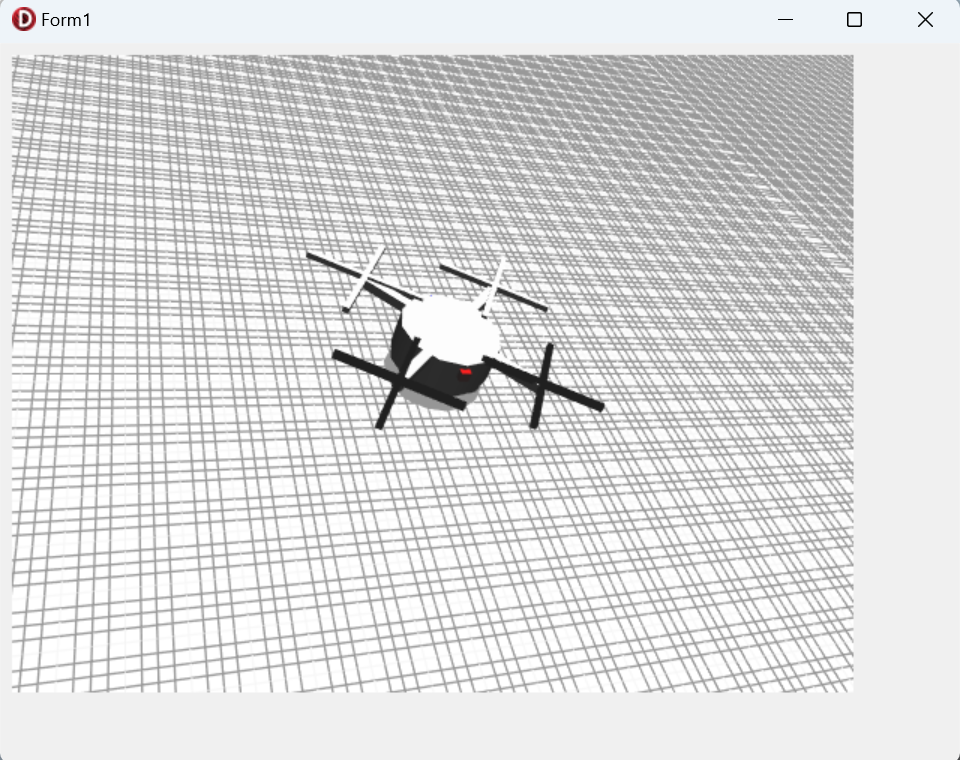
Building a 3D Simulator in Delphi FMX — Controlling a Drone‑Like Object with Viewport3D
This page explains how to build a 3D simulator in Delphi FMX using
TViewport3D, where you control a drone‑like object inside a
three‑dimensional space.
Rather than a game, this is a technical example focused on understanding
coordinate systems and implementing object movement logic.
It is useful for learning FMX’s 3D features, spatial control, and
real‑time object manipulation.
The drone is operated using a joystick (gamepad), which you can connect
to your PC via USB.
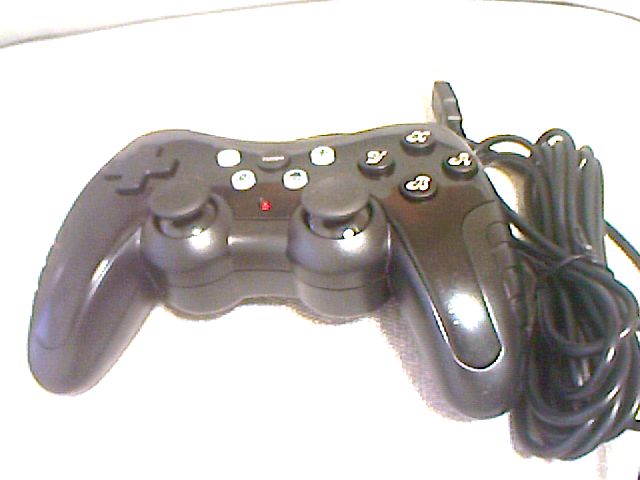
- Left Stick
- Up/Down: ascend / descend
Left/Right: rotate left / right - Right Stick
- Move forward, backward, left, and right
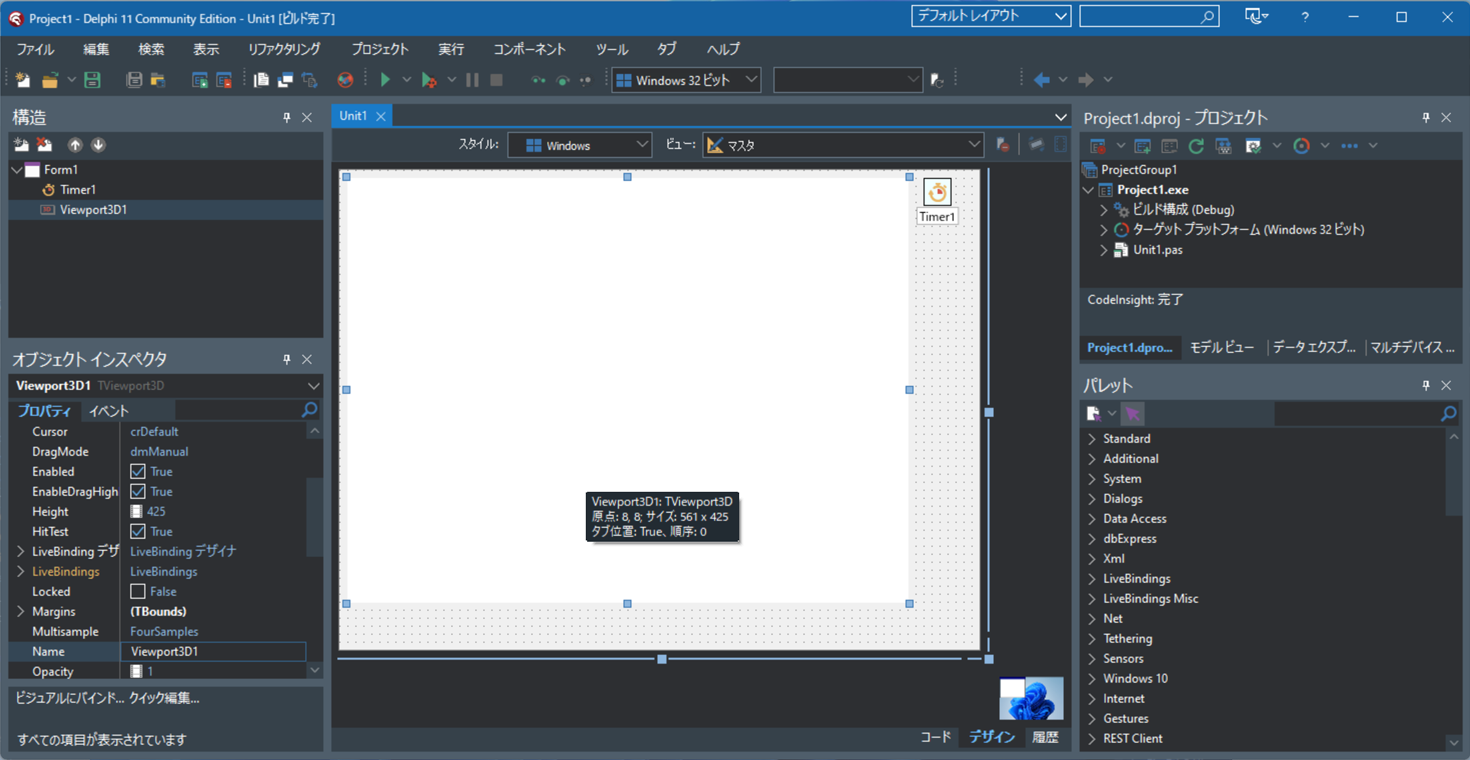
Create a New Delphi FMX Project and Place the Required Components
Start Delphi -> File -> New -> Multi‑Device Application,
then choose "Blank Application" and click OK.
Drag and drop TTimer and TViewport3D onto the form.
Writing the Source Code
Add the following code to the OnCreate event of Form1
and the OnTimer event of Timer1.
unit Unit1;

interface

uses
  System.SysUtils, System.Types, System.UITypes, System.Classes, System.Variants,
  FMX.Types, FMX.Controls, FMX.Forms, FMX.Graphics, FMX.Dialogs, FMX.Viewport3D,
  FMX.MaterialSources, FMX.Controls.Presentation, FMX.Edit, System.Math.Vectors,
  FMX.Controls3D, FMX.Objects3D, FMX.Types3D;

type
  // Drone position and velocity parameters
  TDronePos=record
    x,y,z:Single;
    vx,vy,vz:Single;
    turn:Single;
  end;

  TForm1 = class(TForm)
    Viewport3D1: TViewport3D;
    Timer1: TTimer;
    procedure Timer1Timer(Sender: TObject);
    procedure FormCreate(Sender: TObject);
  private
    { private declarations }
    grid:TGrid3D;
    cam:TCamera;
    mat0,mat1,mat2,mat3,mat4:TLightMaterialSource;
    light:TLight;
    drone:TDummy;
    r1,r2,r3,r4:TDummy;
    shadow:TDisk;
    pos:TDronePos;
  public
    { public declarations }
  end;

var
  Form1: TForm1;
const
  DF=32767;

implementation

uses Winapi.MMSystem, DirectInput;

{$R *.fmx}

procedure TForm1.FormCreate(Sender: TObject);
var mesh:TCustomMesh;
begin
  //Axis directions: X → right, Y → down, Z → forward
  Timer1.Interval:=33;
  pos.x:=0;
  pos.y:=0;
  pos.z:=0;
  pos.vx:=0;
  pos.vy:=0;
  pos.vz:=0;
  pos.turn:=0;
  //Axis directions: X → right, Y → down, Z → forward
  mat0:=TLightMaterialSource.Create(self);
  mat1:=TLightMaterialSource.Create(self);
  mat1.Diffuse:=$FF000000;
  mat2:=TLightMaterialSource.Create(self);
  mat2.Diffuse:=$FFFF0000;
  mat3:=TLightMaterialSource.Create(self);
  mat3.Diffuse:=$FF0000FF;
  mat4:=TLightMaterialSource.Create(self);
  mat4.Diffuse:=$FF888888;
  //Camera setup
  cam:=TCamera.Create(self);
  cam.Parent:=Viewport3D1;
  cam.Position.SetPoint3DNoChange(Point3D(0,-50,-50));
  cam.RotationAngle.X:=-45;
  Viewport3D1.Camera:=cam;
  Viewport3D1.UsingDesignCamera:=False;
  //Point light setup
  light:=TLight.Create(self);
  light.Parent:=Viewport3D1;
  light.LightType:=TLightType.Point;
  light.Position.X:=50;
  light.Position.Y:=-2000;
  light.Position.Z:=-100;
  light.Color:=TAlphaColorRec.White;
  light.Color:=$FFDDDDDD;
  light.Visible:=true;
  light.Enabled:=True;
  //Grid setup
  grid:=TGrid3D.Create(self);
  grid.Parent:=Viewport3D1;
  grid.Width:=1000;
  grid.Height:=1000;
  grid.RotationAngle.X:=90;
  grid.Position.Y:=1;
  grid.LineColor:=$FF999999;
  //rone body
  drone:=TDummy.Create(self);
  drone.Parent:=Viewport3D1;
  mesh:=TCylinder.Create(self);
  TCylinder(mesh).Height:=4;
  TCylinder(mesh).Width:=10;
  TCylinder(mesh).Depth:=10;
  TCylinder(mesh).Position.Y:=-4;
  TCylinder(mesh).MaterialSource:=mat0;
  mesh.Parent:=drone;
  //Arms connecting to rotors
  mesh:=TCube.Create(self);
  TCube(mesh).Height:=1;
  TCube(mesh).Width:=20;
  TCube(mesh).Depth:=1;
  TCube(mesh).MaterialSource:=mat0;
  TCube(mesh).Position.Y:=-5.5;
  TCube(mesh).RotationAngle.Y:=45;
  mesh.Parent:=drone;
  mesh:=TCube.Create(self);
  TCube(mesh).Height:=1;
  TCube(mesh).Width:=20;
  TCube(mesh).Depth:=1;
  TCube(mesh).MaterialSource:=mat0;
  TCube(mesh).Position.Y:=-5.5;
  TCube(mesh).RotationAngle.Y:=-45;
  mesh.Parent:=drone;
  //Red cube indicating the rear of the drone
  mesh:=TCube.Create(self);
  mesh.Parent:=drone;
  TCube(mesh).Height:=1;
  TCube(mesh).Width:=1;
  TCube(mesh).Depth:=1;
  TCube(mesh).MaterialSource:=mat2;
  TCube(mesh).Position.Y:=-5.0;
  TCUbe(mesh).Position.Z:=-5;
  //Blue cube indicating the front of the drone
  mesh:=TCube.Create(self);
  mesh.Parent:=drone;
  TCube(mesh).Height:=1;
  TCube(mesh).Width:=1;
  TCube(mesh).Depth:=1;
  TCube(mesh).MaterialSource:=mat3;
  TCube(mesh).Position.Y:=-5.0;
  TCUbe(mesh).Position.Z:=5;
  //Rear-left rotor
  r1:=TDummy.Create(self);
  r1.Parent:=drone;
  r1.Position.X:=-7;
  r1.Position.Y:=-6;
  r1.Position.Z:=7;
  mesh:=TCube.Create(self);
  TCube(mesh).Height:=0.6;
  TCube(mesh).Width:=12;
  TCube(mesh).Depth:=0.6;
  TCube(mesh).RotationAngle.Y:=0;
  TCube(mesh).MaterialSource:=mat0;
  TCube(mesh).Parent:=r1;
  mesh:=TCube.Create(self);
  TCube(mesh).Height:=0.6;
  TCube(mesh).Width:=12;
  TCube(mesh).Depth:=0.6;
  TCube(mesh).RotationAngle.Y:=90;
  TCube(mesh).MaterialSource:=mat0;
  TCube(mesh).Parent:=r1;
  //Rear-left rotor
  r2:=TDummy.Create(self);
  r2.Parent:=drone;
  r2.Position.X:=7;
  r2.Position.Y:=-6;
  r2.Position.Z:=7;
  mesh:=TCube.Create(self);
  TCube(mesh).Height:=0.6;
  TCube(mesh).Width:=12;
  TCube(mesh).Depth:=0.6;
  TCube(mesh).RotationAngle.Y:=0;
  TCube(mesh).MaterialSource:=mat0;
  TCube(mesh).Parent:=r2;
  mesh:=TCube.Create(self);
  TCube(mesh).Height:=0.6;
  TCube(mesh).Width:=12;
  TCube(mesh).Depth:=0.6;
  TCube(mesh).RotationAngle.Y:=90;
  TCube(mesh).MaterialSource:=mat0;
  TCube(mesh).Parent:=r2;
  //Front-left rotor
  r3:=TDummy.Create(self);
  r3.Parent:=drone;
  r3.Position.X:=-7;
  r3.Position.Y:=-6;
  r3.Position.Z:=-7;
  mesh:=TCube.Create(self);
  TCube(mesh).Height:=0.6;
  TCube(mesh).Width:=12;
  TCube(mesh).Depth:=0.6;
  TCube(mesh).RotationAngle.Y:=0;
  TCube(mesh).MaterialSource:=mat1;
  TCube(mesh).Parent:=r3;
  mesh:=TCube.Create(self);
  TCube(mesh).Height:=0.6;
  TCube(mesh).Width:=12;
  TCube(mesh).Depth:=0.6;
  TCube(mesh).RotationAngle.Y:=90;
  TCube(mesh).MaterialSource:=mat1;
  TCube(mesh).Parent:=r3;
  //Front-right rotor
  r4:=TDummy.Create(self);
  r4.Parent:=drone;
  r4.Position.X:=7;
  r4.Position.Y:=-6;
  r4.Position.Z:=-7;
  mesh:=TCube.Create(self);
  TCube(mesh).Height:=0.6;
  TCube(mesh).Width:=12;
  TCube(mesh).Depth:=0.6;
  TCube(mesh).RotationAngle.Y:=0;
  TCube(mesh).MaterialSource:=mat1;
  TCube(mesh).Parent:=r4;
  mesh:=TCube.Create(self);
  TCube(mesh).Height:=0.6;
  TCube(mesh).Width:=12;
  TCube(mesh).Depth:=0.6;
  TCube(mesh).RotationAngle.Y:=90;
  TCube(mesh).MaterialSource:=mat1;
  TCube(mesh).Parent:=r4;
  //Set camera target to the drone
  cam.Target:=drone;
  //Shadow disk under the drone
  shadow:=TDisk.Create(self);
  shadow.Width:=10;
  shadow.Depth:=10;
  shadow.MaterialSource:=mat4;
  shadow.Parent:=Viewport3D1;
end;

procedure TForm1.Timer1Timer(Sender: TObject);
var ji:TJoyInfoEx;
begin
  // Apply damping to velocity
  pos.vx:=pos.vx*0.95;
  pos.vy:=pos.vy*0.90;
  pos.vz:=pos.vz*0.95;
  // Rotate rotors
  r1.RotationAngle.Y:=r1.RotationAngle.Y+30;
  r2.RotationAngle.Y:=r2.RotationAngle.Y+30;
  r3.RotationAngle.Y:=r3.RotationAngle.Y+30;
  r4.RotationAngle.Y:=r4.RotationAngle.Y+30;

  ji.dwSize:=SizeOf(ji);
  ji.dwFlags:= JOY_RETURNALL;
  if (joyGetPosEx(JOYSTICKID1,@ji)=JOYERR_NOERROR) then
  begin
    pos.turn:=pos.turn+
      (Integer(ji.wXpos)-DF)/DF*5;
    pos.vy:=pos.vy+
      (Integer(ji.wYpos)-DF)/DF/10;
    pos.vx:=pos.vx+
      (Integer(ji.wZpos)-DF)/DF/10;
    pos.vz:=pos.vz+
      (Integer(ji.dwRpos)-DF)/DF/10;
    pos.y:=pos.y+pos.vy;
    if (pos.y>0) then
    begin
      pos.y:=pos.y-pos.vy;
      pos.vy:=-pos.vy*0.8;
    end;
    pos.x := pos.x+
      cos((-pos.turn-90)/180*Pi)*pos.vz;
    pos.z := Pos.z+
      sin((-pos.turn-90)/180*Pi)*pos.vz;
    pos.x := pos.x+
      cos((-pos.turn)/180*Pi)*pos.vx;
    pos.z := pos.z+
      sin((-pos.turn)/180*Pi)*pos.vx;
    drone.Position.X:=pos.x;
    drone.Position.Z:=pos.z;
    drone.Position.Y:=pos.y;
    shadow.Position.X:=pos.x;
    shadow.Position.Z:=pos.z;

    drone.ResetRotationAngle;
    drone.RotationAngle.Y:=pos.turn;
    drone.RotationAngle.X:=pos.vz*10;
    drone.RotationAngle.Z:=pos.vx*10;
  end
  else
  begin
    joyConfigChanged(0);
  end;
end;

end.
Running the Application
Click the Run button to start the application (running in Debug mode is also fine).
Connect a joystick (gamepad) to your PC via USB and use it to control the drone.