Skia4Delphi WebP Guide — Working with WebP, SVG, and PDF in Delphi
This page explains how to use Skia4Delphi in Delphi to convert WebP images, render SVG graphics, and generate PDF files.
It provides practical examples showing how to configure sk4d.dll and how to work with components such as TSkImage, TSkSVG, and TSkDocument.
These techniques can be applied to real‑world applications, including image processing and report generation in business systems.
Downloading and Installing Skia4Delphi
Visit the official website:
https://skia4delphi.org/
and click the Download button.

Download the installer:
Skia4Delphi_x.x.x_Setup.exe

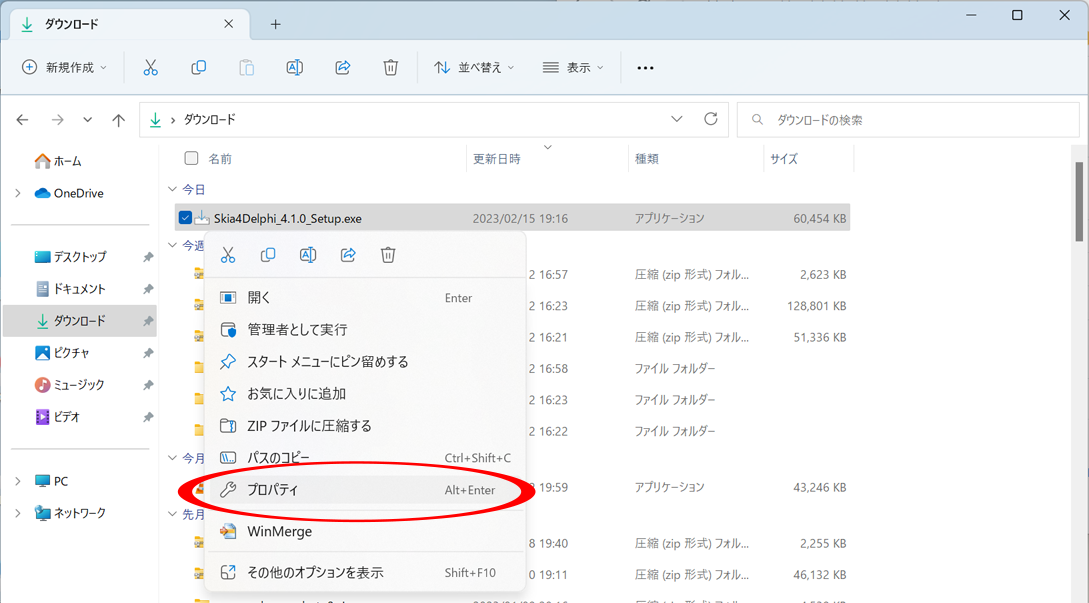
After downloading, right‑click the file and select Properties.
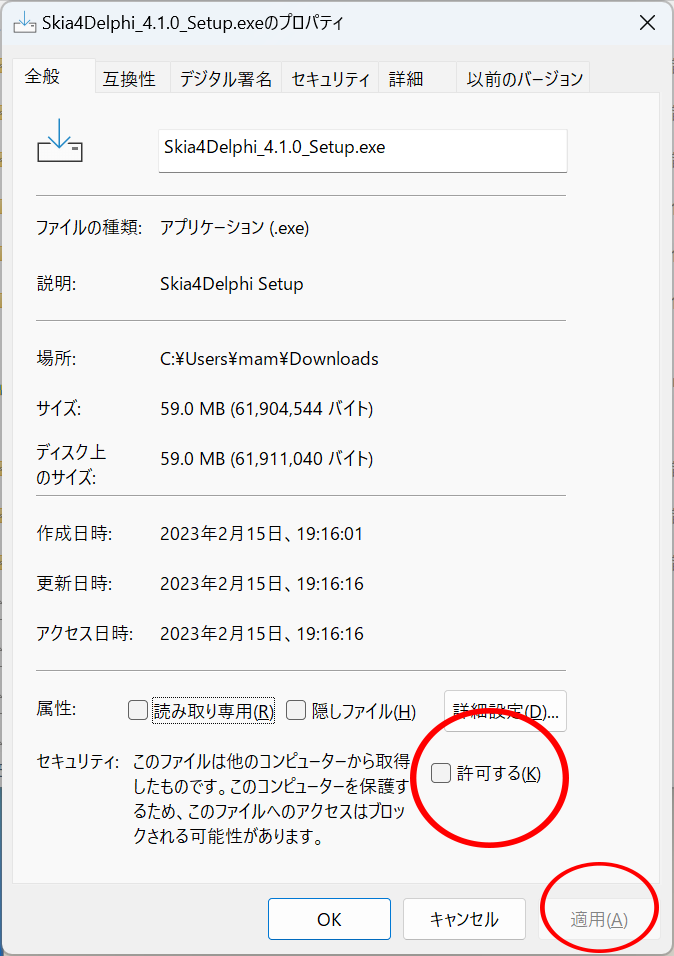
Check Unblock, then click Apply and OK.
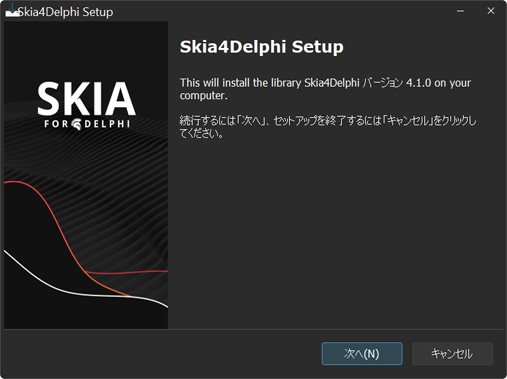
Finally, double‑click the downloaded file to start the installation.
About the sk4d.dll File
Skia4Delphi requires the sk4d.dll file to be placed in the same folder as your compiled Delphi executable
(or in any folder included in the system PATH).
The 32‑bit and 64‑bit versions of sk4d.dll can be found in the installation directory at the following paths:
…\Documents\Skia4Delphi\Binary\Shared\Win32\sk4d.dll
…\Documents\Skia4Delphi\Binary\Shared\Win64\sk4d.dll
Converting WebP to JPEG and JPEG to WebP
Clicking Button1 converts a WebP file to a JPEG file.
Clicking Button2 converts a JPEG file to a WebP file.
unit Unit1;

interface

uses
  Winapi.Windows, Winapi.Messages, System.SysUtils, System.Variants,
  System.Classes, Vcl.Graphics,
  Vcl.Controls, Vcl.Forms, Vcl.Dialogs, Vcl.ExtCtrls, Vcl.StdCtrls,
  Skia, Skia.Vcl, Skia.API;

type
  TForm1 = class(TForm)
    Button1: TButton;
    Button2: TButton;
    procedure Button1Click(Sender: TObject);
    procedure Button2Click(Sender: TObject);
  private
    { Private declarations }
  public
    { Public declarations }
  end;

var
  Form1: TForm1;

implementation

{$R *.dfm}

procedure TForm1.Button1Click(Sender: TObject);
var
  sImg: ISkImage;
  strm: TMemoryStream;
begin
  // Convert WebP file to JPEG
  strm := TMemoryStream.Create;
  try
    sImg := Skia.TSkImage.MakeFromEncodedFile('image.webp');
    //   EncodeToStream(Stream, ImageFormat, Quality)
    sImg.EncodeToStream(strm, Skia.TSkEncodedImageFormat.JPEG, 80);
    strm.SaveToFile('image.jpg');
  finally
    strm.Free;
  end;
end;

procedure TForm1.Button2Click(Sender: TObject);
var
  sImg: ISkImage;
  strm: TMemoryStream;
begin
  // Convert JPEG file to WebP
  strm := TMemoryStream.Create;
  try
    sImg := Skia.TSkImage.MakeFromEncodedFile('image.jpg');
    //   EncodeToStream(Stream, ImageFormat, Quality)
    sImg.EncodeToStream(strm, Skia.TSkEncodedImageFormat.WEBP, 80);
    strm.Position := 0;
    strm.SaveToFile('image.webp');
  finally
    strm.Free;
  end;
end;

end.
Displaying an SVG Image
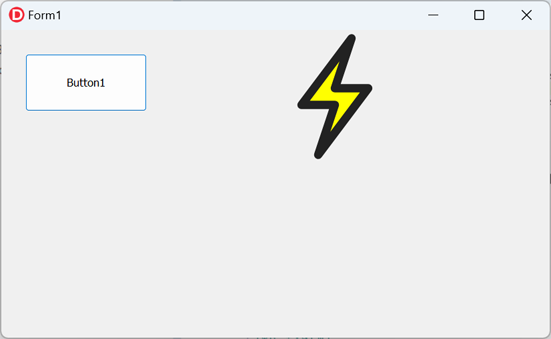
Clicking Button1 displays an SVG image on the form.
unit Unit1;

interface

uses
  Winapi.Windows, Winapi.Messages, System.SysUtils, System.Variants,
  System.Classes, Vcl.Graphics,
  Vcl.Controls, Vcl.Forms, Vcl.Dialogs, Vcl.ExtCtrls, Vcl.StdCtrls,
  Skia, Skia.Vcl, Skia.API;

type
  TForm1 = class(TForm)
    Button1: TButton;
    procedure Button1Click(Sender: TObject);
  private
    { Private declarations }
  public
    { Public declarations }
  end;

var
  Form1: TForm1;

implementation

{$R *.dfm}

procedure TForm1.Button1Click(Sender: TObject);
var svg: TSkSvg;
begin
  svg:=TSksvg.Create(Self);
  svg.Parent:=Self;
  svg.Left:=400;
  svg.top:=0;
  svg.Width:=200;
  svg.Height:=200;
  svg.Svg.Source:=
  '<svg style="width:32px;" viewBox="0 0 64 64">'+
    '<path d="M40,4 L16,36 L32,36 L24,60 L48,28 L32,28 z"'+
      ' style="fill:#FF0;stroke:#222;stroke-width:4;'+
      'stroke-linecap:round;stroke-linejoin:round;" />'+
  '</svg>';
end;

end.
Creating a PDF File
Clicking Button1 generates a PDF file.
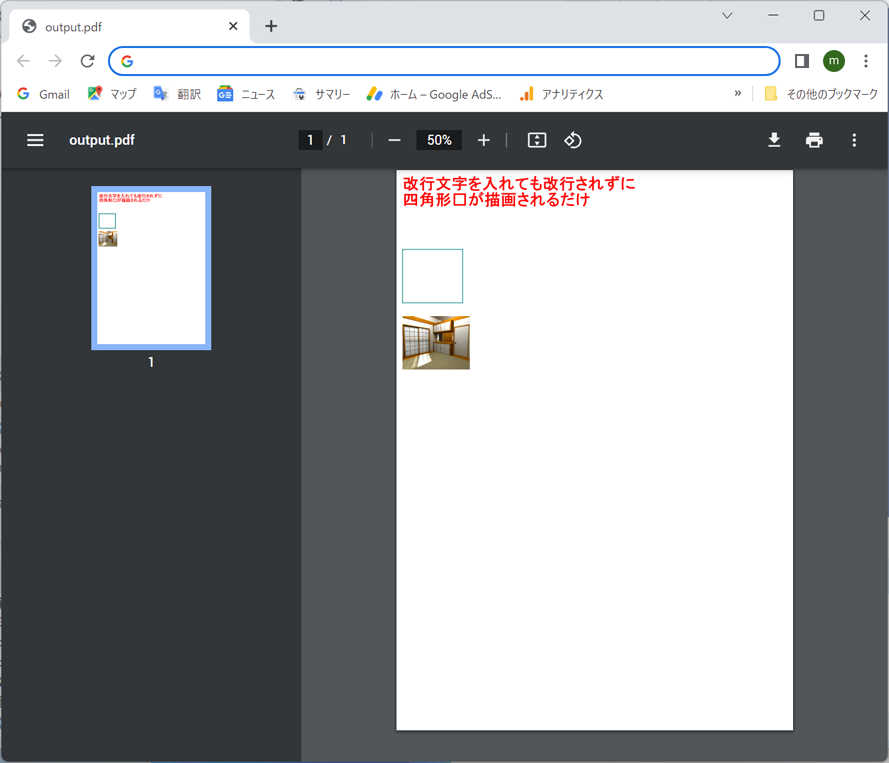
Note: When drawing text to a PDF using Skia, inserting newline characters (#13#10) does not create line breaks.
Instead, Skia renders them as square glyphs, so manual line positioning is required.
unit Unit1;

interface

uses
  Winapi.Windows, Winapi.Messages, System.SysUtils, System.Variants,
  System.Classes, Vcl.Graphics,
  Vcl.Controls, Vcl.Forms, Vcl.Dialogs, Vcl.ExtCtrls, Vcl.StdCtrls,
  System.Types, system.UITypes,
  Skia, Skia.Vcl, Skia.API;

type
  TForm1 = class(TForm)
    Button1: TButton;
    procedure Button1Click(Sender: TObject);
  private
    { Private declarations }
  public
    { Public declarations }
  end;

var
  Form1: TForm1;

implementation

{$R *.dfm}

procedure TForm1.Button1Click(Sender: TObject);
var
  LCanvas: ISkCanvas;
  LDocument: ISkDocument;
  LDocumentStream: TStream;

  //LSVGDOM: ISkSVGDOM;
  sk:ISkImage;

  LSize: TSizeF;
  f:ISkFont;
  paint:ISKPaint;
  fs:TSkFontStyle;
begin
  //Load JPEG image to embed in the PDF
  sk:=TSkImage.MakeFromEncodedFile('image.jpg');

  //Page size in points (1pt = 1/72 inch)
  //A4 size in mm: 210 × 297
  LSize := TSizeF.Create(210*72/25.4, 297*72/25.4);

  LDocumentStream := TFileStream.Create('output.pdf', fmCreate);
  try
    LDocument := TSkDocument.MakePDF(LDocumentStream);
    try
      LCanvas := LDocument.BeginPage(LSize.Width, LSize.Height);
      try
        fs.Create(
          TSkFontWeight.ExtraBold,
          TSkFontWidth.UltraExpanded,
          TSkFontSlant.Upright
        );
        f:=TSkFont.Create(
          TSkTypeface.MakeFromName('MS PGothic',fs),
          24,//font size
          1, //horizontal scale (0.5 = narrow, 2 = wide)
          0  //skew
          );

        paint:=TSkPaint.Create;
        paint.AntiAlias:=true;
        paint.SetColorF(TAlphaColorF.Create(1,0,0,1));
        paint.Style:=TSkPaintStyle.Fill;
        //Draw text (line breaks must be handled manually)
        LCanvas.DrawSimpleText('Newline characters do not create line breaks',10,30,f,paint);
        LCanvas.DrawSimpleText('Skia will draw a square instead.'+#13#10,10,54,f,paint);

        //Draw a rectangle outline
        paint.SetColorF(TAlphaColorF.Create(0,0.5,0.5,1));
        paint.Style:=TSkPaintStyle.Stroke;
        LCanvas.DrawRect(Rect(10,120,100,200),paint);
        //Draw JPEG image inside the PDF
        LCanvas.DrawImageRect(sk,RectF(10,220,110,300));

      finally
        LDocument.EndPage;
      end;
    finally
      LDocument.Close;
    end;
  finally
    LDocumentStream.Free;
  end;
end;
end.