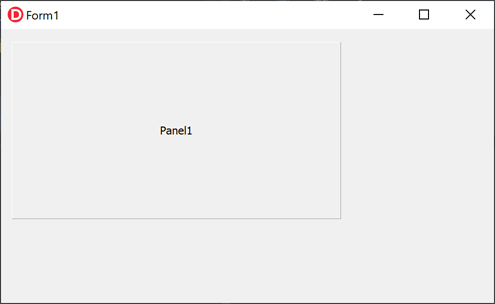
Dragging Windows and Panels in Delphi: How to Use ReleaseCapture and SC_MOVE
When you want to move a form or panel by dragging with the mouse in Delphi, you can use the Windows API functions ReleaseCapture and SendMessage (SC_MOVE) to enable intuitive dragging even in UIs without a title bar.
This page explains how drag‑to‑move works in the VCL environment, along with implementation examples using the TMouseButton event.
Creating the Project
Launch the Delphi IDE and select "File" -> "Windows VCL Application – Delphi".
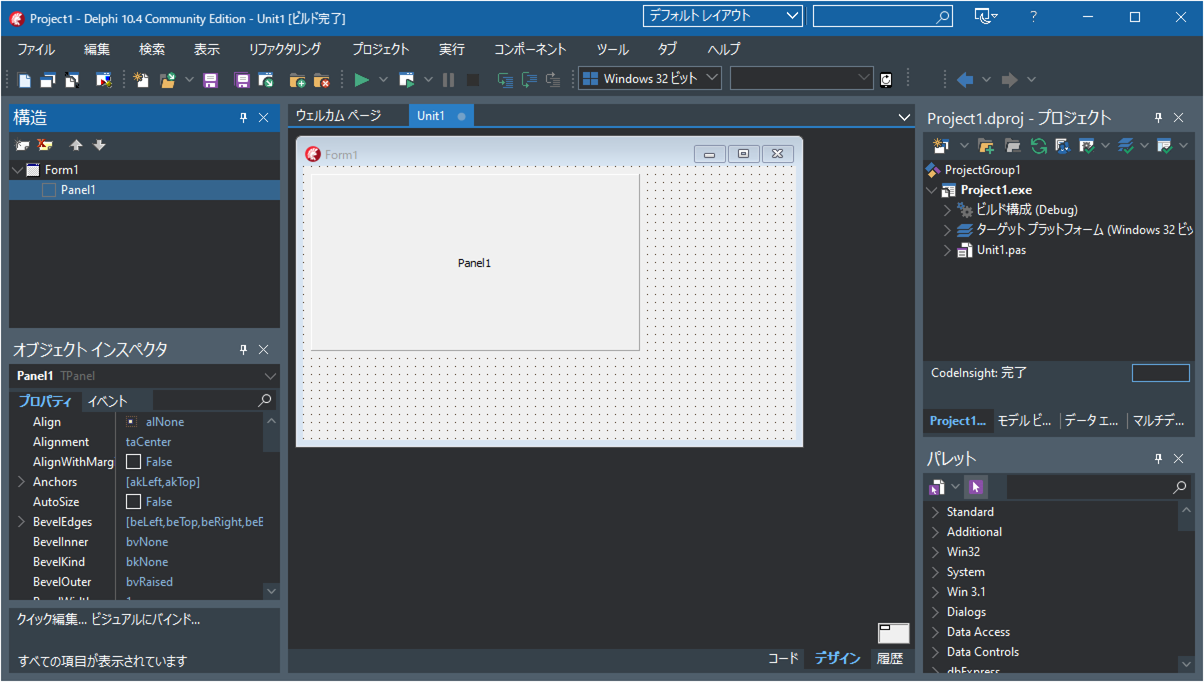
Drag and drop a TPanel onto the form.
Writing the Source Code
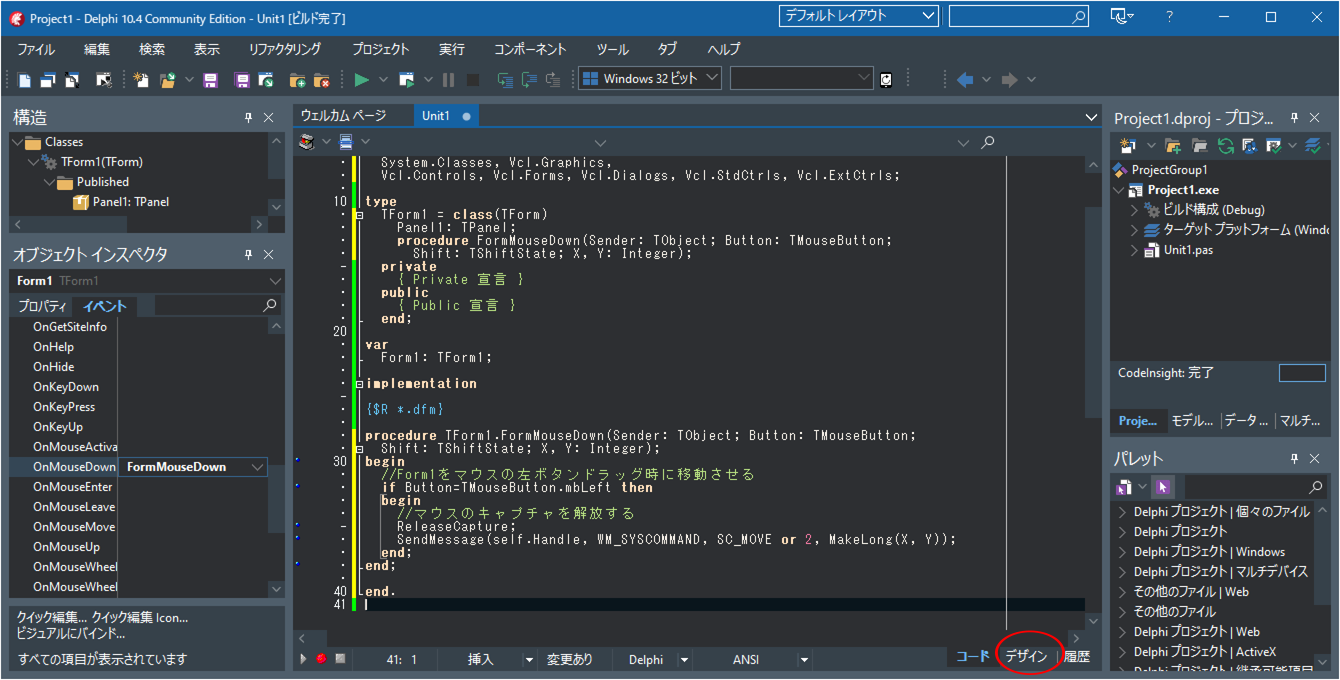
In the upper-left "Structure" pane, click [Form1].
In the left "Object Inspector" pane, click the [Events] tab.
In the [OnMouseDown] event row, double‑click the empty area on the right.

Enter the following source code:
    procedure TForm1.FormMouseDown(Sender: TObject; Button: TMouseButton;
      Shift: TShiftState; X, Y: Integer);
    begin
      // Move Form1 when dragging with the left mouse button
      if Button = TMouseButton.mbLeft then
      begin
        // Release mouse capture
        ReleaseCapture;
        SendMessage(Self.Handle, WM_SYSCOMMAND, SC_MOVE or 2, MakeLong(X, Y));
      end;
    end;
Press the F12 key or click the Design tab at the bottom to switch back to the form designer.
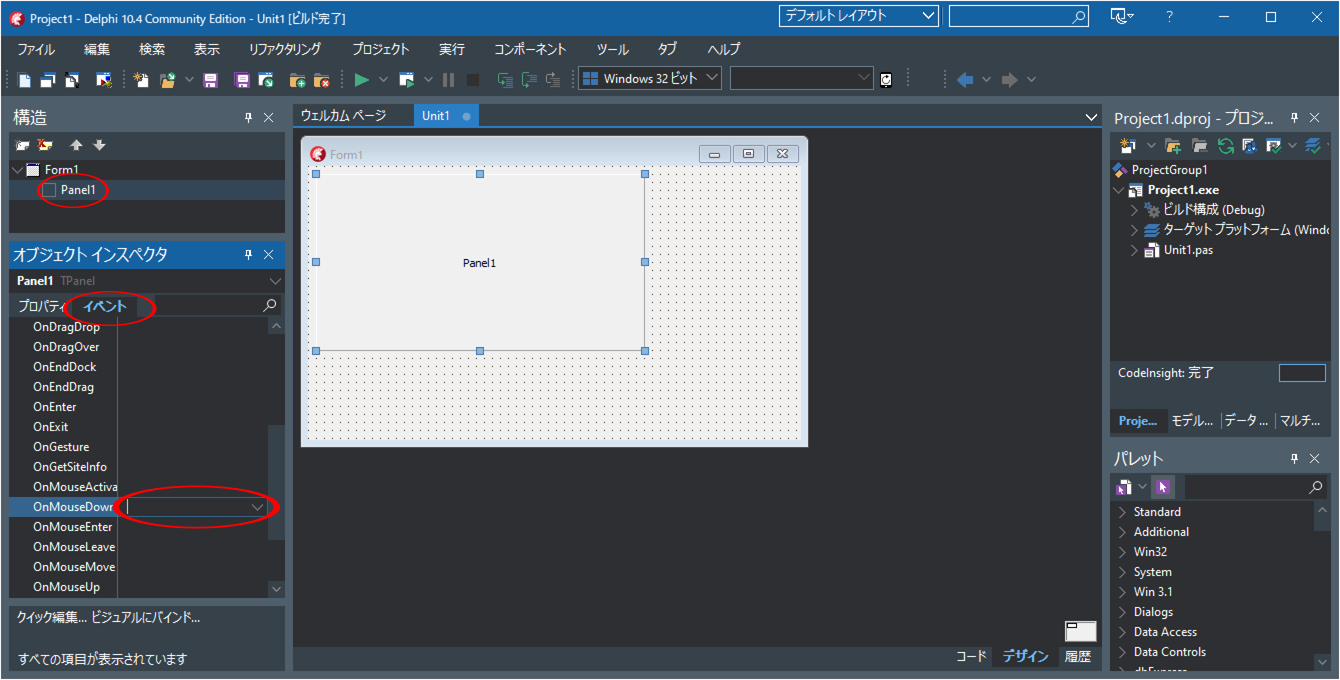
In the upper-left "Structure" pane, click [Panel1].
In the left "Object Inspector" pane, click the [Events] tab.
In the [OnMouseDown] event row, double‑click the empty area on the right.
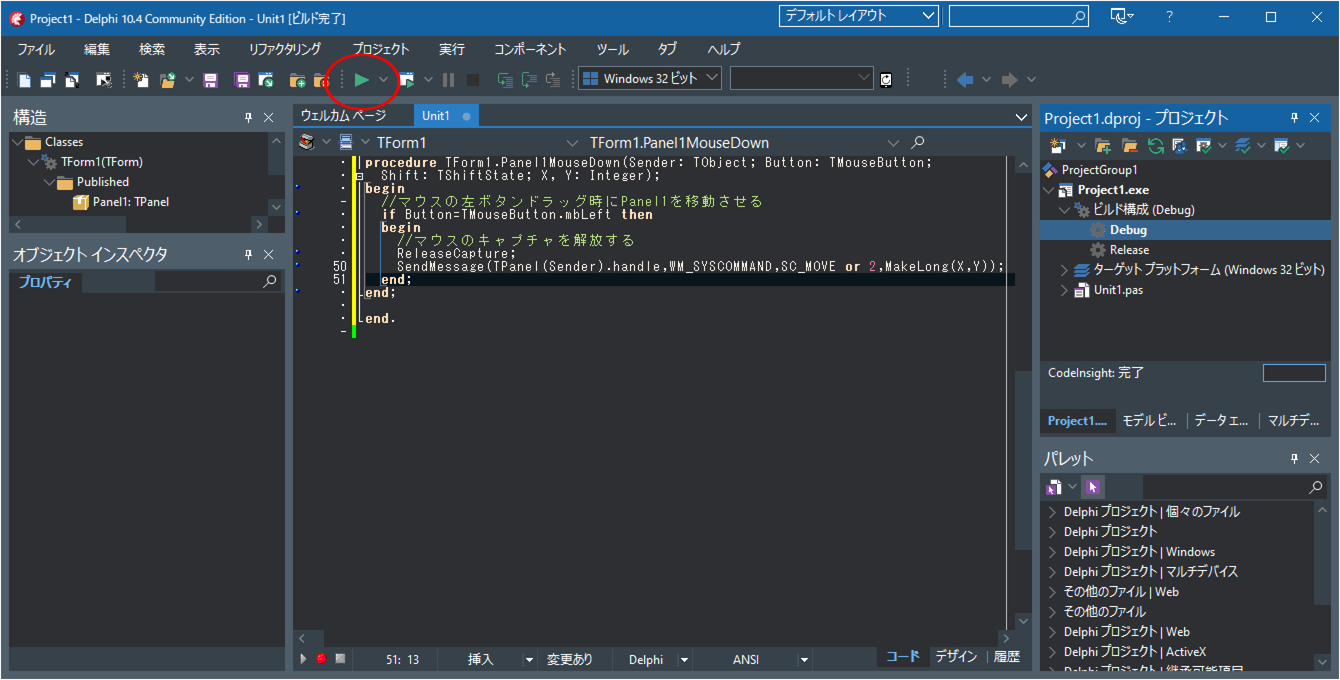
Enter the following source code:
    procedure TForm1.Panel1MouseDown(Sender: TObject; Button: TMouseButton;
      Shift: TShiftState; X, Y: Integer);
    begin
      // Move Panel1 when dragging with the left mouse button
      if Button = TMouseButton.mbLeft then
      begin
        // Release mouse capture
        ReleaseCapture;
        SendMessage(TPanel(Sender).Handle, WM_SYSCOMMAND, SC_MOVE or 2, MakeLong(X, Y));
      end;
    end;
Running the Application
Click the Run button to compile and execute the application.
Dragging Panel1 with the left mouse button will move the panel.
Dragging any empty area of the window with the left mouse button will move the window itself.