Installing DSPack: A Delphi Library for Easily Working with DirectShow
Downloading DSPack
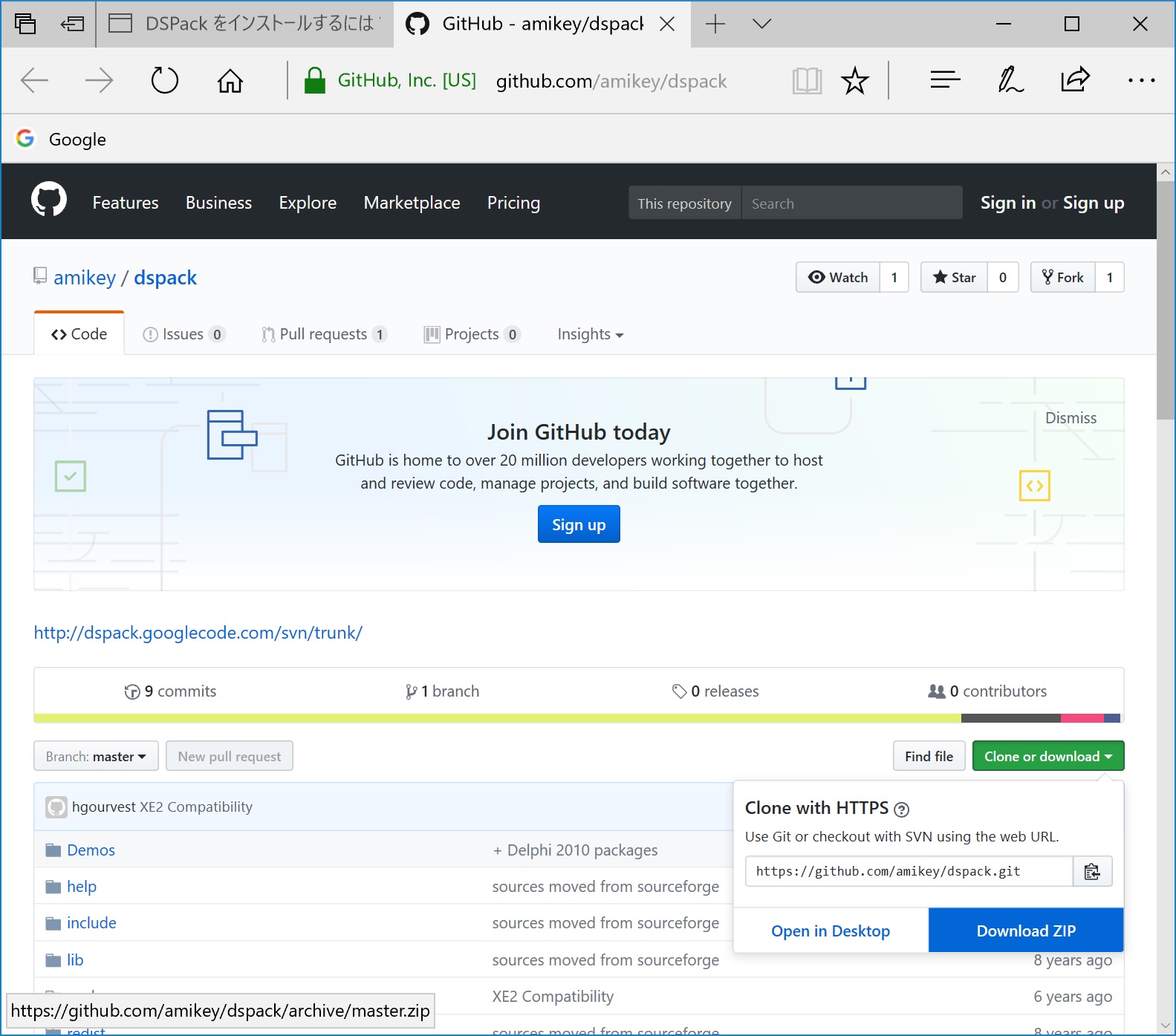
You can download DSPack from the following URL.Click [Clone or download] and then [Download ZIP] to start downloading.
https://github.com/amikey/dspack
Extracting the DSPack Files
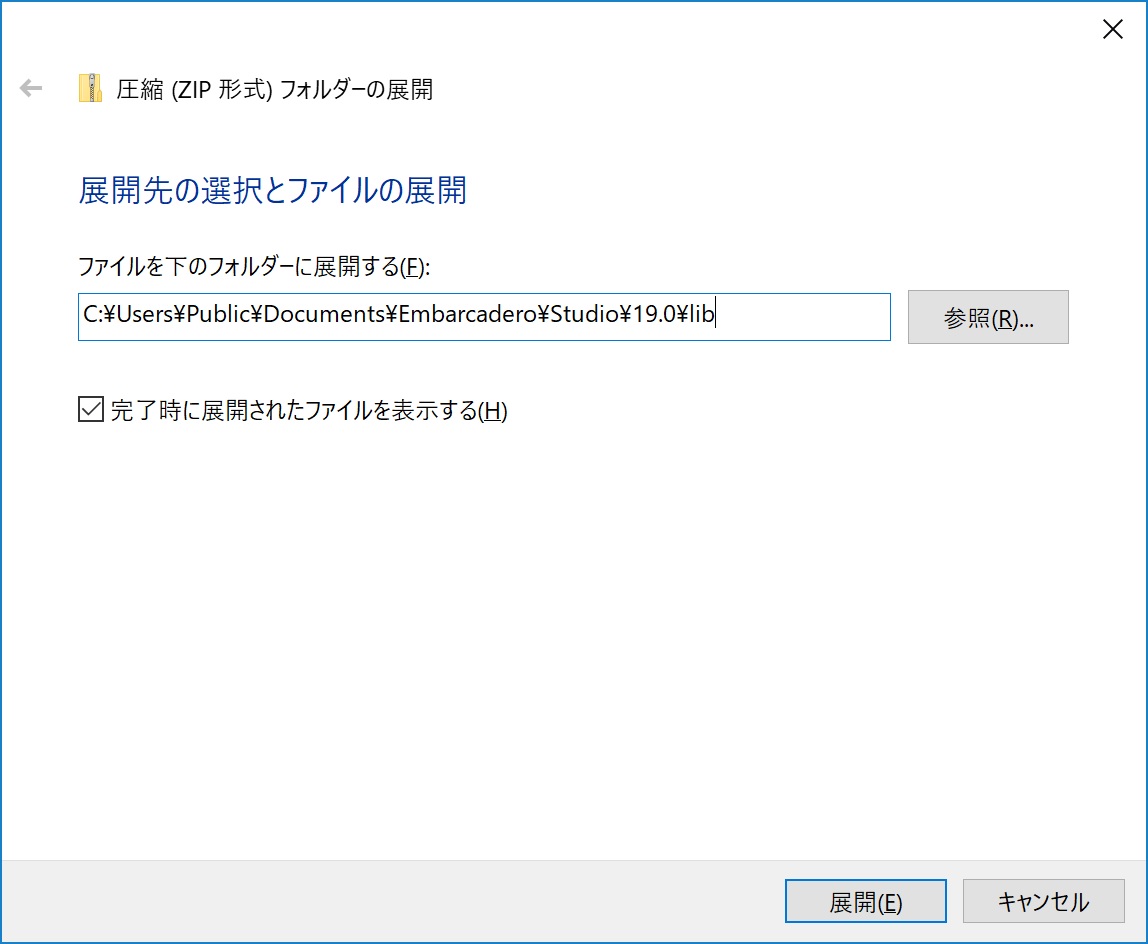
Right‑click the downloaded dspack-master.zip file and select Extract All.
In “Files will be extracted to this folder”, specify:
C:\Users\Public\Documents\Embarcadero\Studio\19.0\lib
and click the Extract button.
Installing DSPack (using Delphi 10.2 in this example)
Launch Delphi.
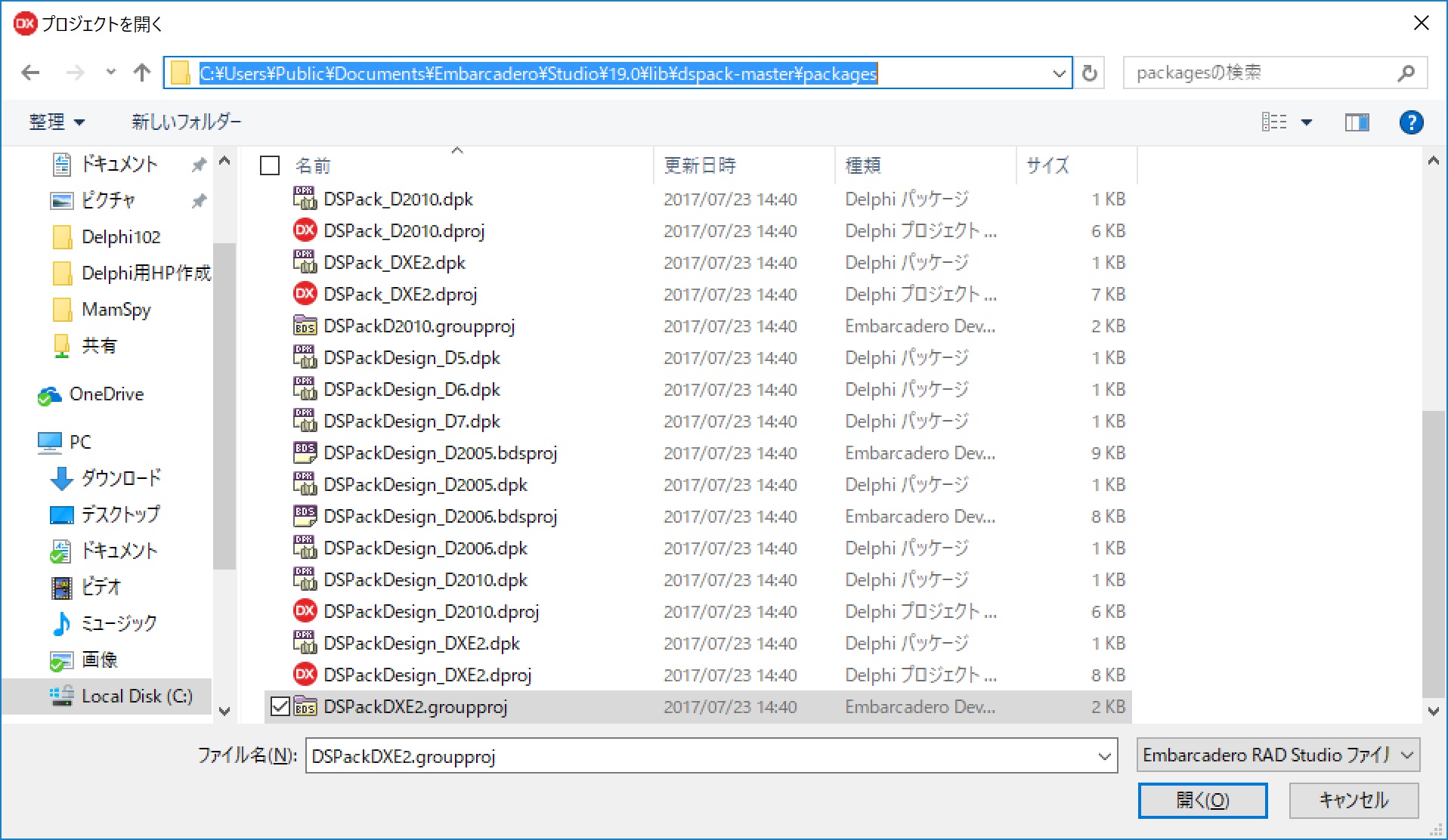
From File → Open Project, open:
C:\Users\Public\Documents\Embarcadero\Studio\19.0\lib\dspack-master\packages\DSPackDXE2.groupproj
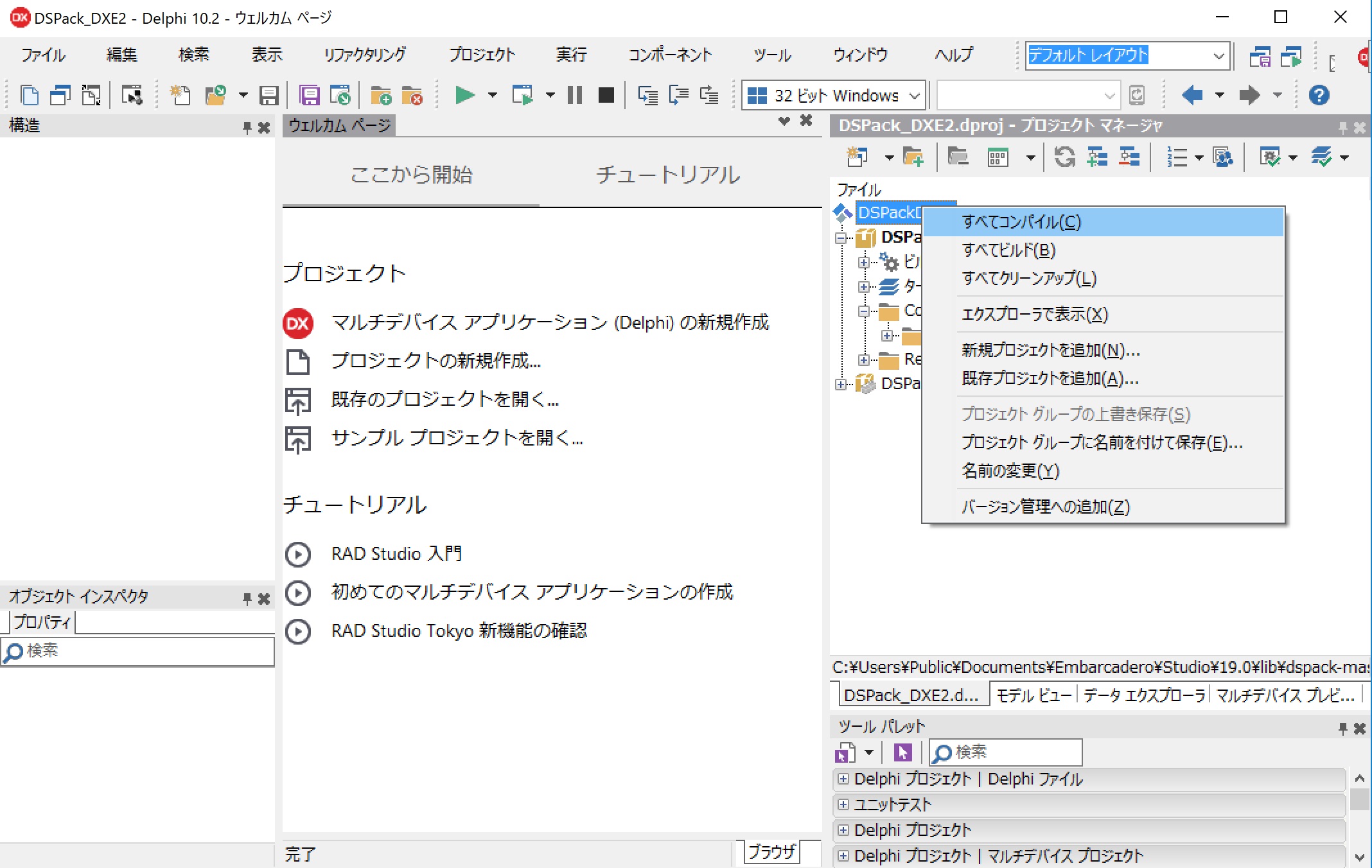
Right‑click DSPackDXE2 and select Compile All.
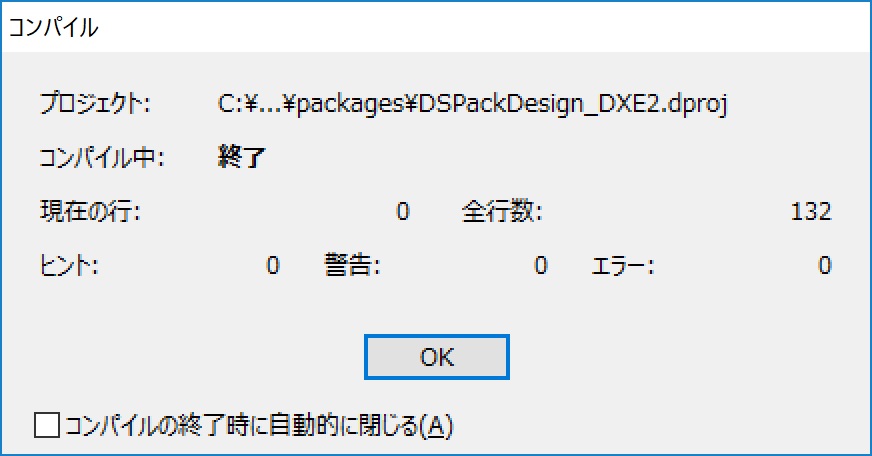
Click the OK button.
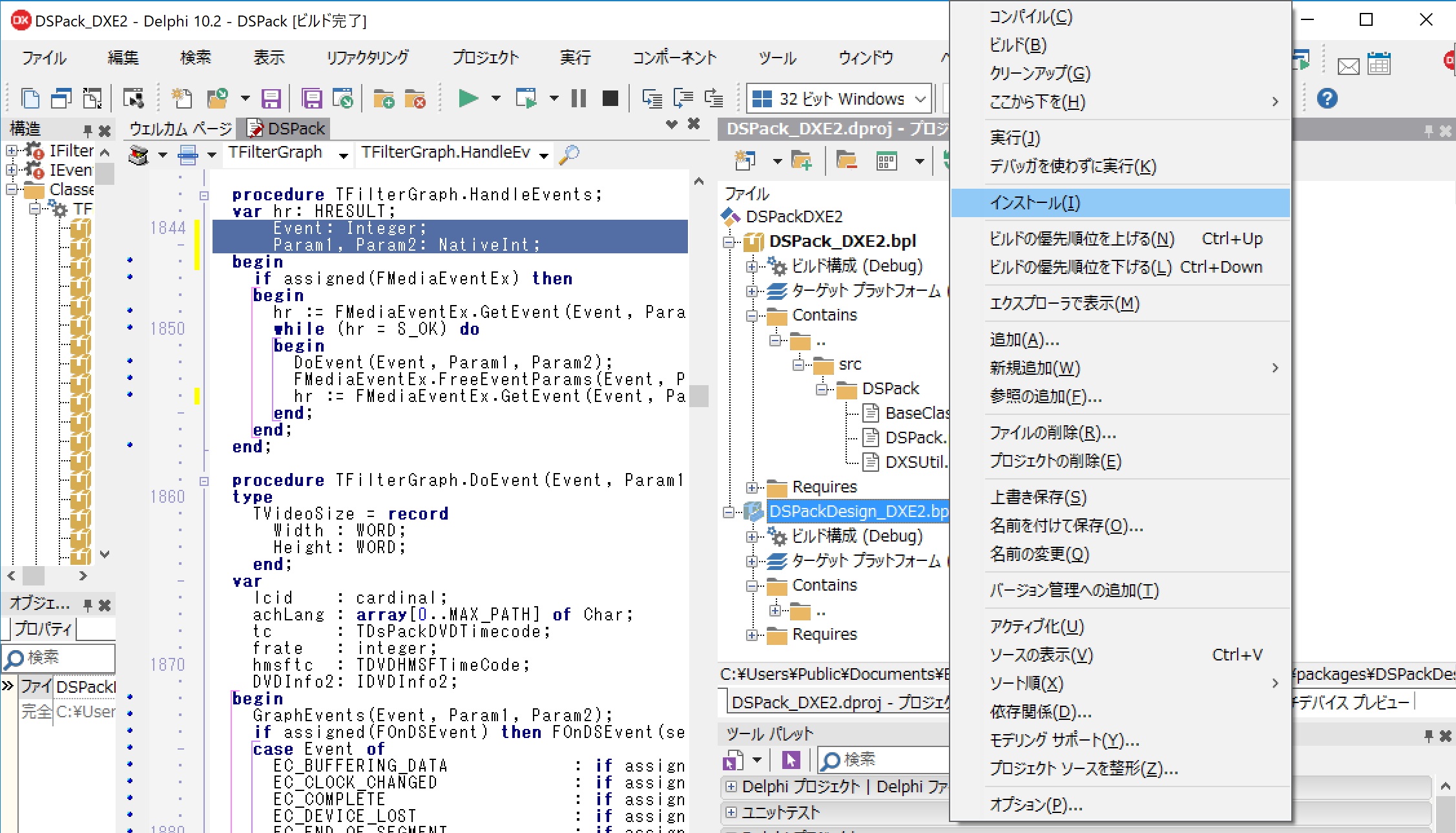
Right‑click DSPackDesign_DXE2.bpl and select Install.
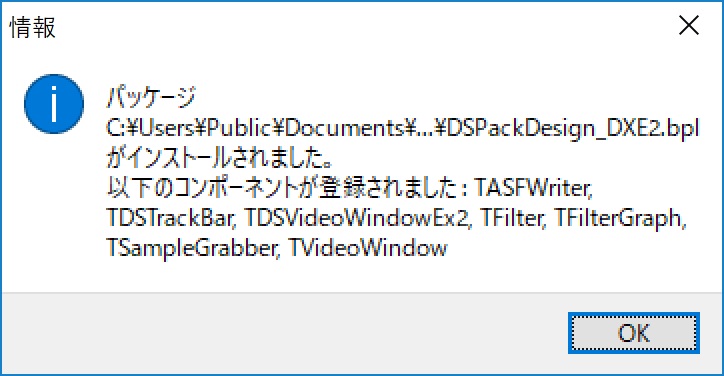
When the installation completion dialog appears, click OK.
Click Save All.

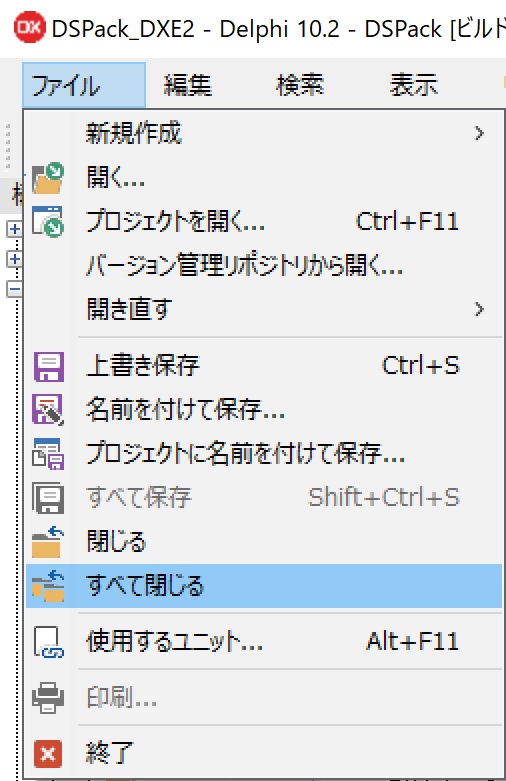
Go to File → Close All.
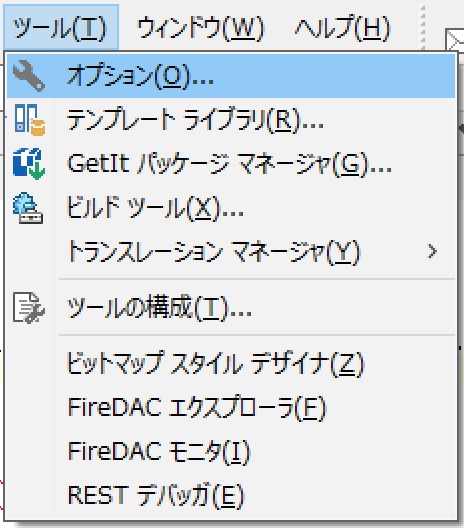
Open Tools → Options.
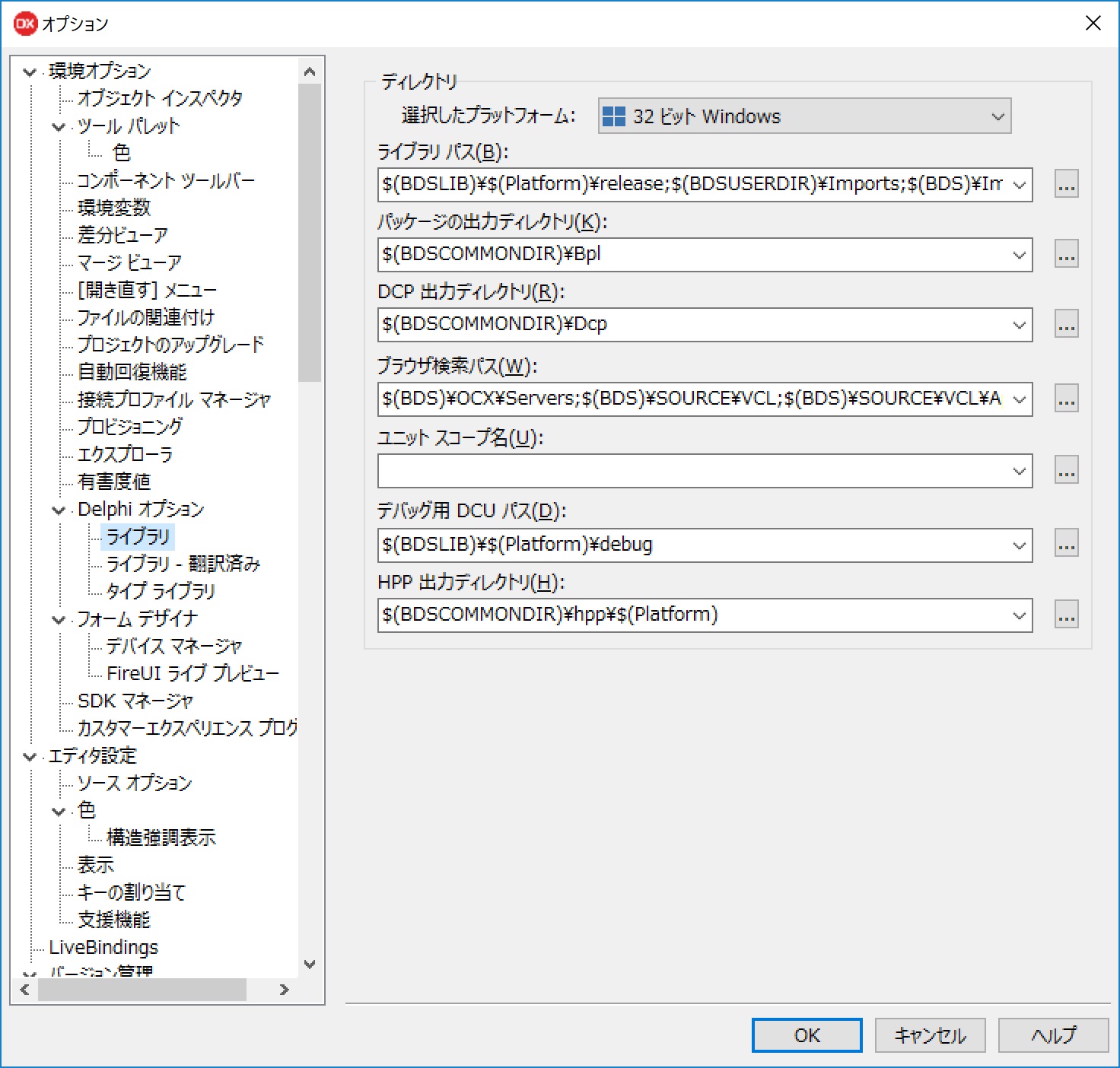
Under Environment Options → Delphi Options → Library, click the … button next to the Library Path field.
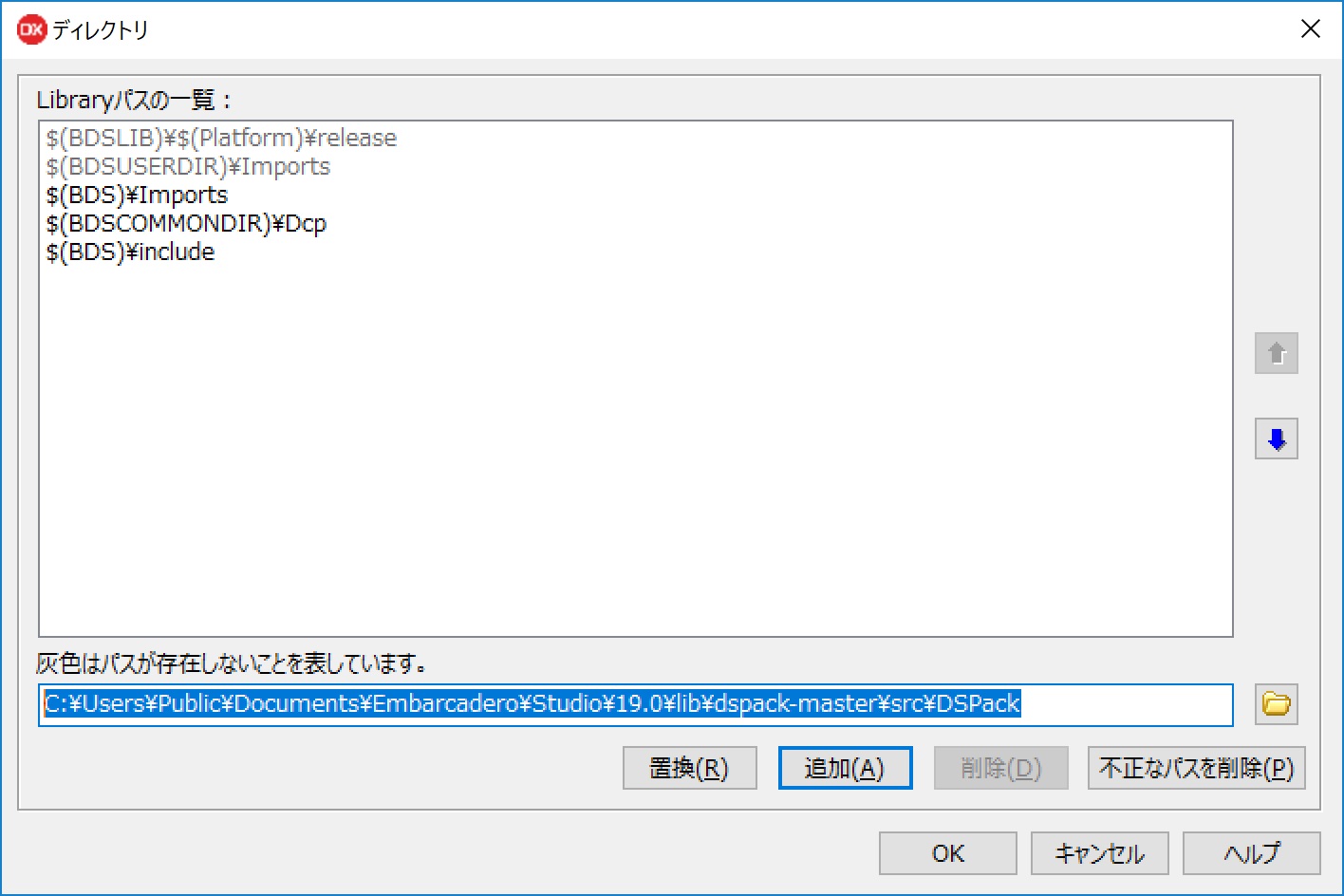
In the text box at the bottom, enter:
C:\Users\Public\Documents\Embarcadero\Studio\19.0\lib\dspack-master\src\DSPack
and click Add.
DSPack installation is now complete.
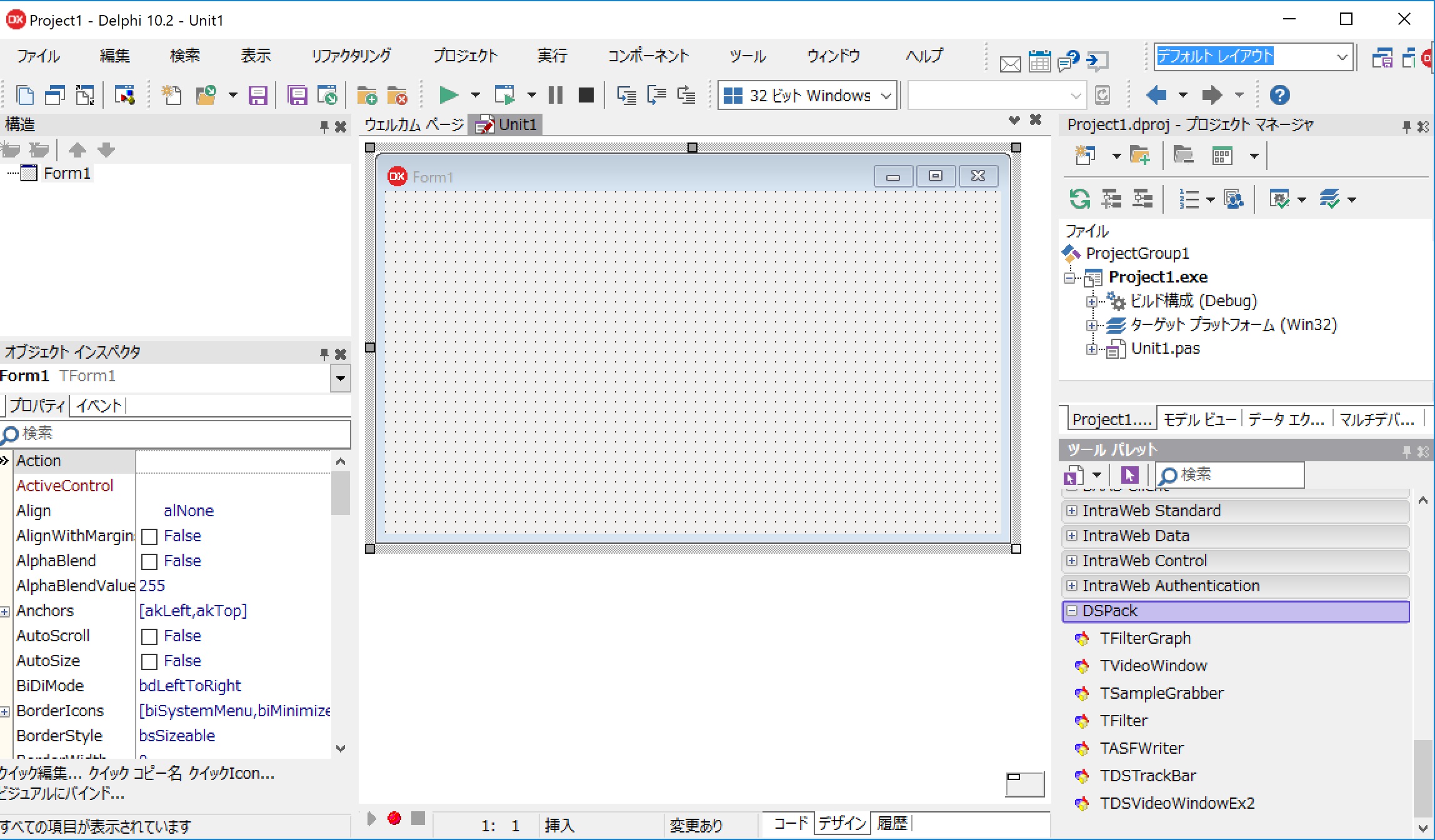
You can place DSPack components from the DSPack category in the Tool Palette.