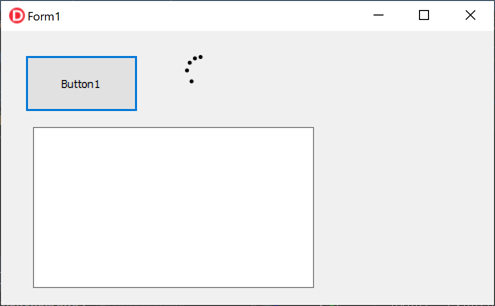
処理の実行中を示す回転アニメーションの表示 ~Delphiソースコード集
TActivityIndicatorは時間のかかる処理の実行中を示す回転アニメーションを表示するものです。
時間のかかる処理を行う場合に表示させるのが一般的ですが、TActivityIndicatorはメインスレッドで動作します。
したがって、時間のかかる処理をメインスレッドで行うと、TActivityIndicatorがアニメーションしません。
アニメーションさせるには、時間のかかる処理を別スレッドで実行させます。
procedure TForm1.Button1Click(Sender: TObject);
begin
  //アクティビティ インジケータのアニメーションを開始
  ActivityIndicator1.Animate:=True;

  TThread.CreateAnonymousThread(
    procedure
    begin

      //何らかの時間のかかる処理をここで行う

      //アクティビティ インジケータのアニメーションを停止
      ActivityIndicator1.Animate:=False;
    end
  ).Start;
end;
使用例
エクセル(*.xlsx)ファイルを選択して、ファイルを開いてブックのシートをMemo1に列挙するアプレケーションを作成します。
待ち時間にアクティビティ インジケータのアニメーションを表示します。
プロジェクト作成とフォームの設計
Delphi IDEを起動し、「ファイル」⇒「Windows VCLアプリケーション -Delphi」をクリックします。
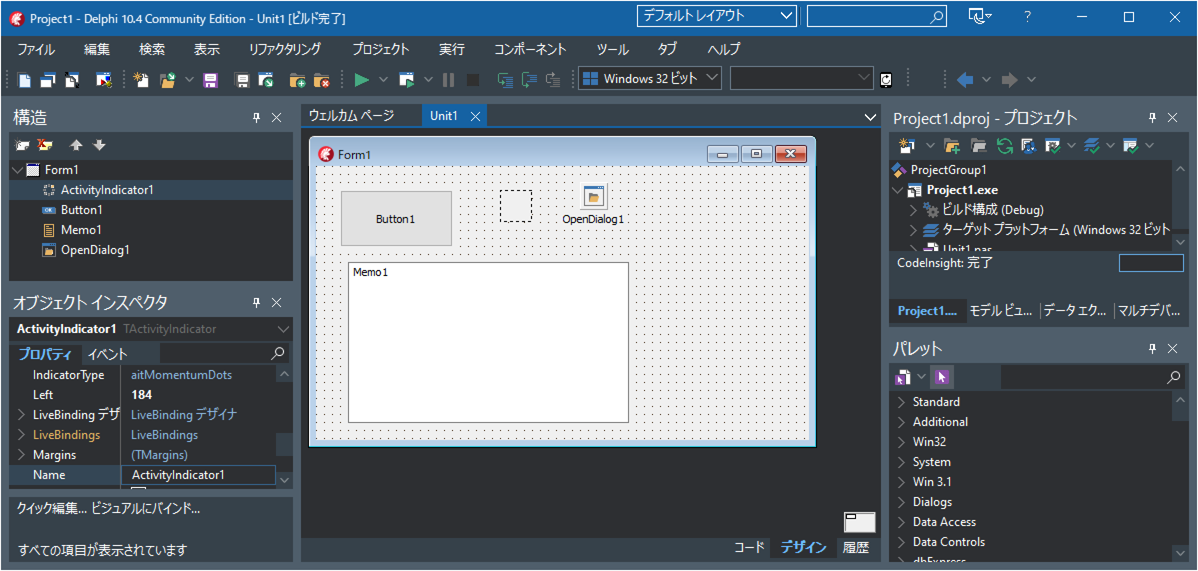
フォームにTButtonを1個と、TActivityIndicatorを1個、TMemoを1個、TOpenDialogを1個、ドラッグ&ドロップします。
ソースコードの記述
Button1をダブルクリックして以下ソースコードを記述します。
unit Unit1;

interface

uses
  Winapi.Windows, Winapi.Messages, System.SysUtils, System.Variants, System.Classes, Vcl.Graphics,
  Vcl.Controls, Vcl.Forms, Vcl.Dialogs, Vcl.StdCtrls, Vcl.WinXCtrls;

type
  TForm1 = class(TForm)
    Button1: TButton;
    ActivityIndicator1: TActivityIndicator;
    OpenDialog1: TOpenDialog;
    Memo1: TMemo;
    procedure Button1Click(Sender: TObject);
  private
    { Private 宣言 }
  public
    { Public 宣言 }
  end;

var
  Form1: TForm1;

implementation

{$R *.dfm}

uses ComObj;

procedure TForm1.Button1Click(Sender: TObject);
begin
  OpenDialog1.Filter:='*.xlsx|*.xlsx';
  if not OpenDialog1.Execute then exit;

  Memo1.Clear;
  Button1.Enabled:=False;
  //アクティビティインジケーターのアニメーションを開始する
  ActivityIndicator1.Animate:=True;

  //メインスレッドとは別のスレッドを作成して実行する
  TThread.CreateAnonymousThread(
  procedure
  var i:Integer;
      excel, book:OleVariant;
      sheet_name:string;
  begin
    excel:=CreateOleObject('Excel.Application');
    book:=excel.Workbooks.open(OpenDialog1.FileName);
    //excel.Visible:=True;
    for i := 1 to book.Sheets.Count do
    begin
      //シート名の取得
      sheet_name:=book.Sheets[i].Name;
      //メインスレッド内で処理を行う
      TThread.Synchronize(TThread.CurrentThread,
      procedure()
      begin
        Memo1.Lines.Add(sheet_name);
      end);
    end;
    excel.DisplayAlerts:=False;
    book.Close;
    excel.DisplayAlerts:=True;
    excel.Quit;

    //メインスレッド内で処理を行う
    TThread.Synchronize(TThread.CurrentThread,
    procedure()
    begin
      Button1.Enabled:=True;
      //アクティビティインジケーターのアニメーションを停止する
      ActivityIndicator1.Animate:=False;
    end);
  end
  ).Start;
end;

end.
実行する
実行ボタンを押すとコンパイルされ実行ファイルが生成して実行します。Button1をクリックして、エクセルのファイルを選択すると、アクティビティインジケーターがアニメション表示します。