URLスキームでAndroidアプリを起動しパラメータを渡す ~Delphiソースコード集
HTML側のソース
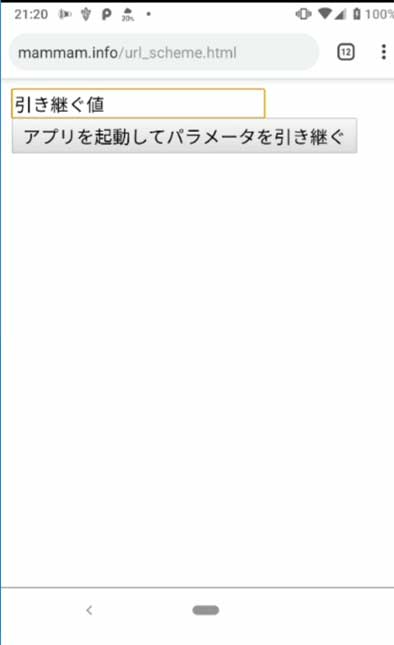
この例では以下のhtmlファイルにandoroidアプリケーションを起動するHTMLを記述します。https://mammam.info/url_scheme.html
スキーマ名をscheme、 ホスト名をhostとしています。
スキーマ名とホスト名は任意ですが、URLスキームで起動するアプリのAndroidManifest.xml内で名前を合わせる必要があります。
<html lang="ja">
<head>
<meta charset="UTF-8">
<meta name="viewport" content="width=device-width,initial-scale=1">
<script>
function go(){
document.getElementById("a").href=
  "scheme://host/?a="+ document.getElementById("text").value;
  document.getElementById("a").click();
}
</script>
</head>
<body>
<input type="text" maxlength="10" size="20" id="text" name="text" value="テスト"><br>
<input type="button" value="アプリを起動してパラメータを引き継ぐ" onclick="go()">
<a id="a"></a>

<body/>
</html>
Delphiを起動してFMXアプリケーションを作成して画面を設定する
DelphiのIDEで以下のような画面を作成し、すべて保存します。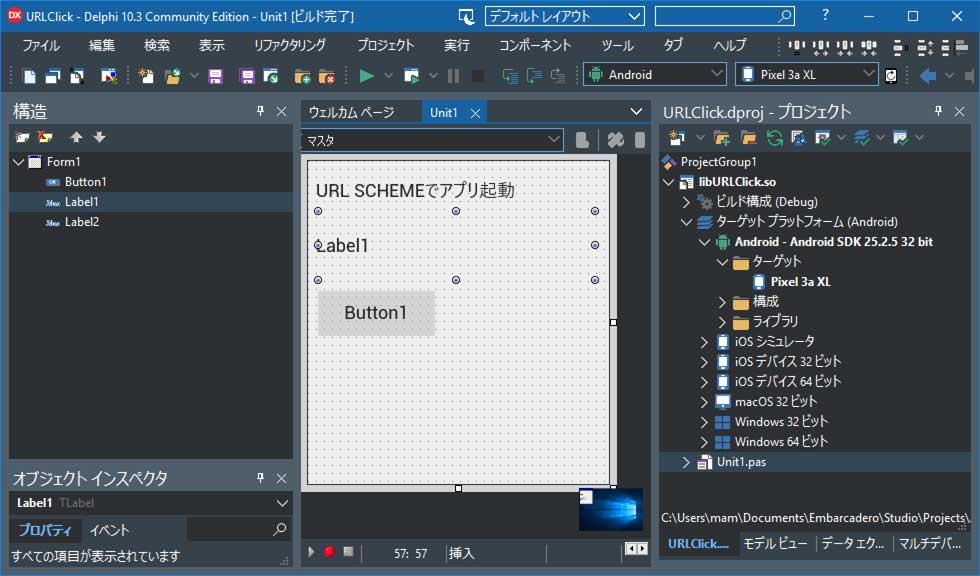
AndroidManifest.template.xmlを編集
プロジェクトフォルダ直下にあるAndroidManifest.template.xmlをテキストエディタで開いて編集します。スキーマ名とホスト名はHTMLファイルに記述した値と合わせます。
・・・省略・・・

            <intent-filter>
                <action android:name="android.intent.action.VIEW" />
                <category android:name="android.intent.category.DEFAULT" />
                <category android:name="android.intent.category.BROWSABLE" />
                <data android:scheme="scheme" android:host="host" />
            </intent-filter>
        </activity>
        <%activity%>
        <%receivers%>
    </application>
</manifest>
DelphiのAndroid用ソースコード
unit Unit1;

interface

uses
  System.SysUtils, System.Types, System.UITypes, System.Classes, System.Variants,
  FMX.Types, FMX.Controls, FMX.Forms, FMX.Graphics, FMX.Dialogs,
  FMX.Controls.Presentation, FMX.StdCtrls, FMX.Platform, System.Messaging ;

type
  TForm1 = class(TForm)
    Label1: TLabel;
    Label2: TLabel;
    Button1: TButton;
    procedure FormCreate(Sender: TObject);
    procedure Button1Click(Sender: TObject);
  private
    { private 宣言 }
    procedure OnNewintent(const Sender:TObject;const M:TMessage);
  public
    { public 宣言 }
  end;

var
  Form1: TForm1;

implementation

{$R *.fmx}

uses
   Androidapi.Helpers, Androidapi.JNI.JavaTypes
  ,Androidapi.JNI.GraphicsContentViewText
  ,Androidapi.JNI.Os, Androidapi.Jni.Support
  ,Androidapi.Jni.net, Androidapi.JNI.App, FMX.Platform.Android
  ,IdURI,IdGlobal ;

procedure TForm1.Button1Click(Sender: TObject);
var Intent:JIntent;
const url='https://mammam.info/url_scheme.html';
begin
  Intent:=TJIntent.Create;
  Intent.setAction(TJIntent.JavaClass.ACTION_VIEW);
  Intent.setData(StrToJURI(url));
  TAndroidHelper.Activity.startActivity(Intent);
end;

//アプリが起動していてインテントが届いた場合
procedure TForm1.OnNewintent(const Sender: TObject; const M: TMessage);
var Intent: JIntent;
    Uri: Jnet_Uri;
begin
  if M is TMessageReceivedNotification then
  begin
    Intent:=TMessageReceivedNotification(M).Value;
    Uri := Intent.getData;
    //URLスキームで届いたパラメータを表示する
    Label1.Text:=
      TIdURI.URLDecode(
        JStringToString(Uri.getEncodedQuery),
        IndyTextEncoding_UTF8()
      );
  end;
end;

procedure TForm1.FormCreate(Sender: TObject);
var Intent: JIntent;
    Uri: Jnet_Uri;
    APPEventService:IFMXApplicationEventService;
begin
  Intent := TAndroidHelper.Activity.getIntent;
  if TJIntent.JavaClass.ACTION_VIEW.equals(Intent.getAction) then
  begin
    //アプリ起動時にインテントがあれば取得する
    Uri:=Intent.getData;
    Label1.Text:=
      TIdURI.URLDecode(
        JStringToString(Uri.getEncodedQuery),
        IndyTextEncoding_UTF8()
      );
  end;

  //アクション[android.intent.action.VIEW]を受け取るように設定
  MainActivity.registerIntentAction(TJIntent.JavaClass.ACTION_VIEW);

  //メッセージが送られた時に処理(OnNewIntent)を実行するハンドラを登録
  //TMessageReceivedNotification は TMessage<JIntent>なので、
  //Intentが送られてきたら、関数OnNewIntentが実行される
  TMessageManager.DefaultManager.SubscribeToMessage(
    TMessageReceivedNotification, OnNewIntent
  );
end;

end.
実行
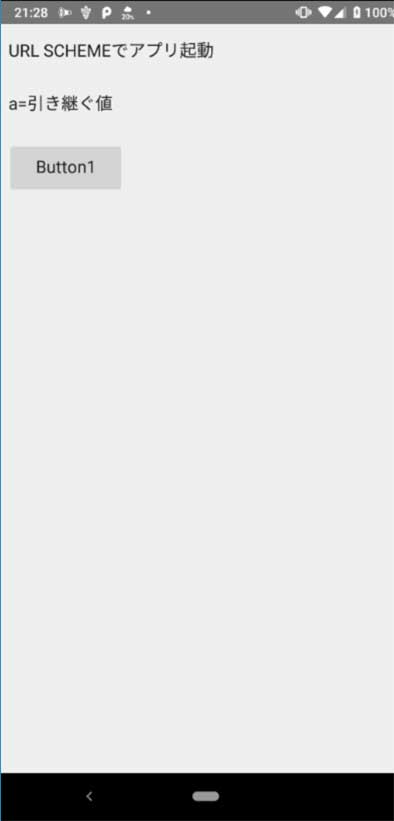
コンパイルしてandroid実機に転送します。ブラウザを開いてhttps://mammam.info/url_scheme.htmlを表示します。